
To accept a partner exchange request and start a new collaboration, follow these steps:
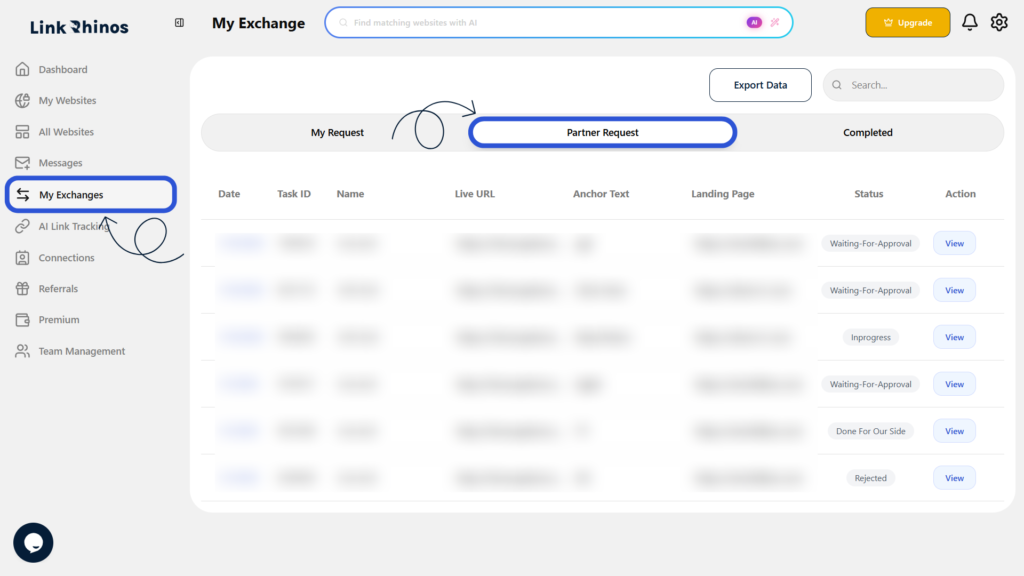
1: Go to My Exchanges
Navigate to the “My Exchanges” section from your main dashboard and open the Partner Request tab.
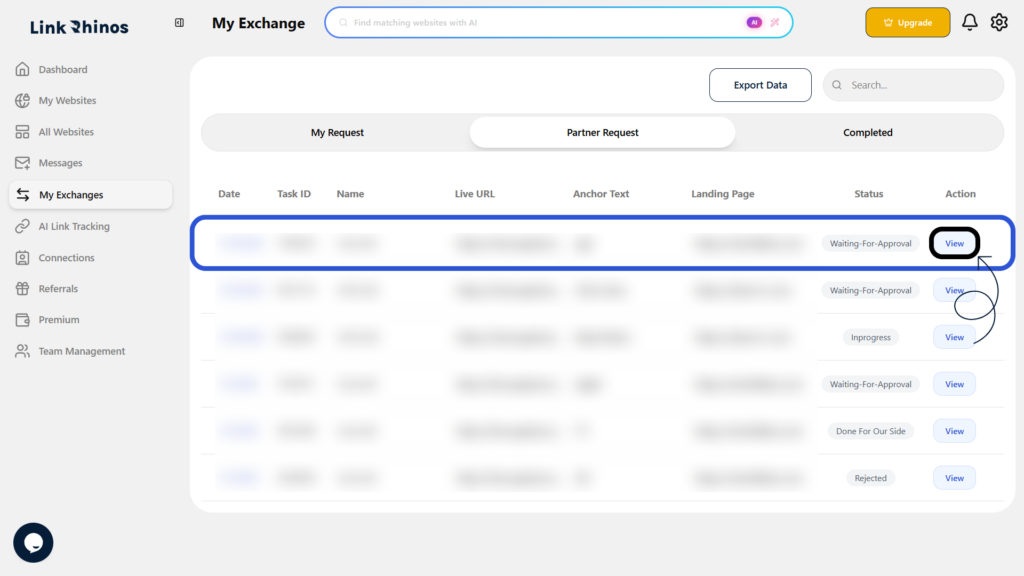
2: Locate the Request
Find the request you want to accept and click View under the Action column to see the details.
3: Review and Accept
Carefully review the request details to ensure everything looks good, then click the Accept button.
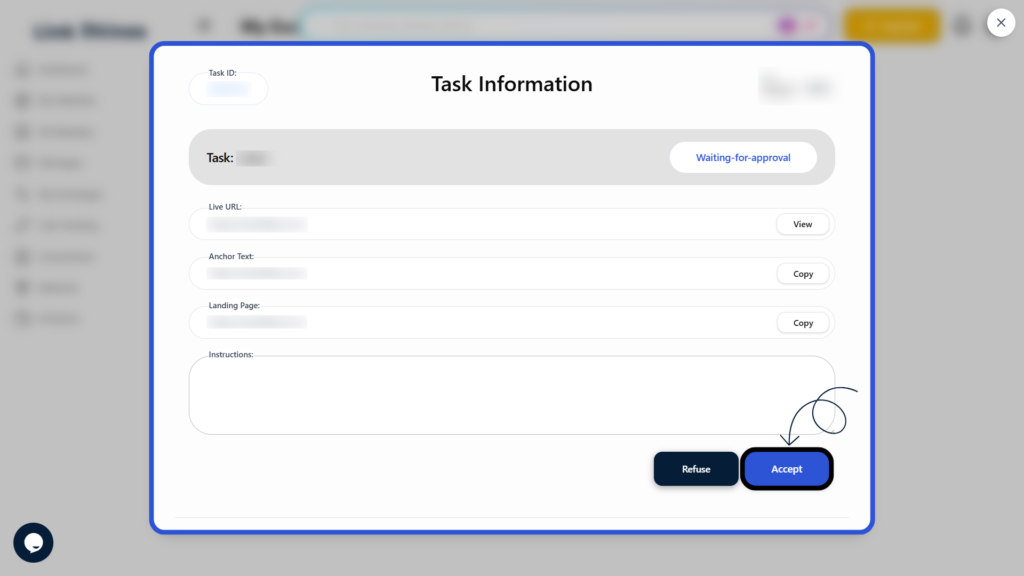
Once accepted, the exchange will be confirmed and you can proceed with your partner.