
If you need to decline a partner exchange request, you can do so directly from the request section. Follow these steps:
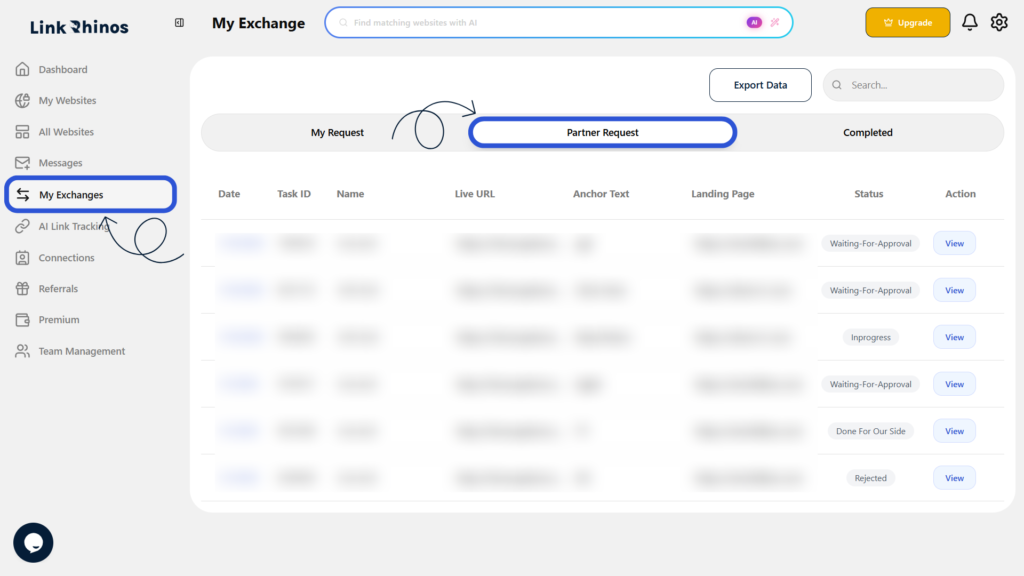
1: Go to My Exchanges
Navigate to “My Exchanges” from your main dashboard and open the Partner Request section.
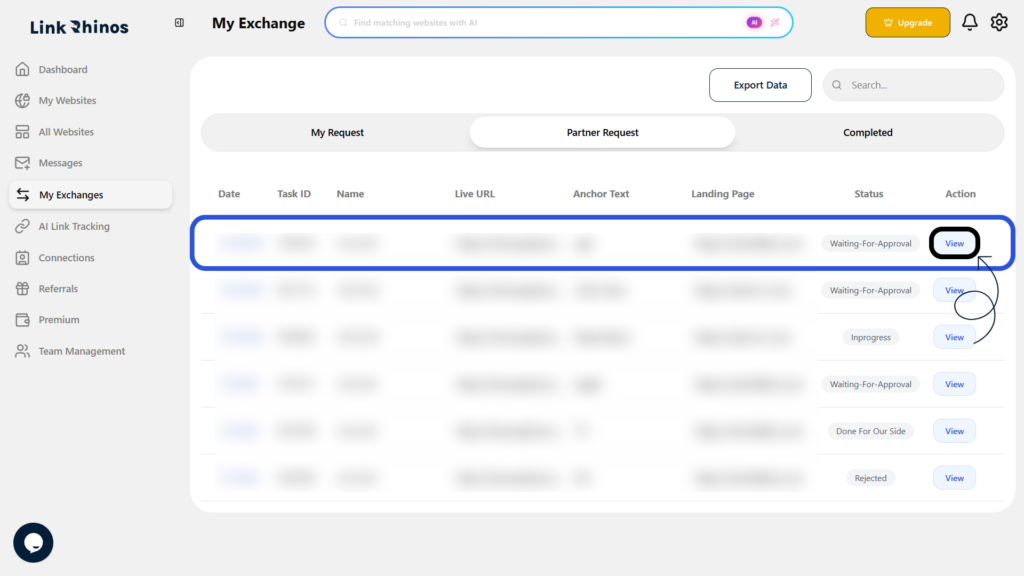
2: Locate the Request
Find the specific request you want to reject and click View under the Action column.
3: Review and Refuse
Carefully review the request details, then click the Refuse button to reject the exchange.
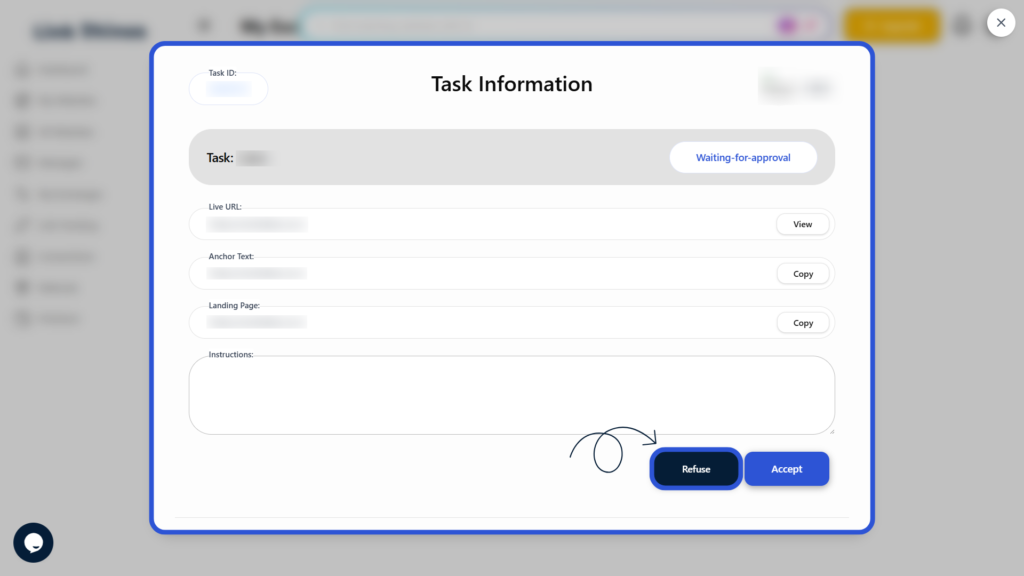
This action will immediately decline the partner request and notify the other party of your decision.