
You can quickly notify a partner when their link is not found to keep them informed and maintain transparency. This automatic message saves you time and ensures the partner is aware of the issue. Follow these steps:
1: Go to AI Link Tracking
Navigate to the “AI Link Tracking” page from your main dashboard menu.
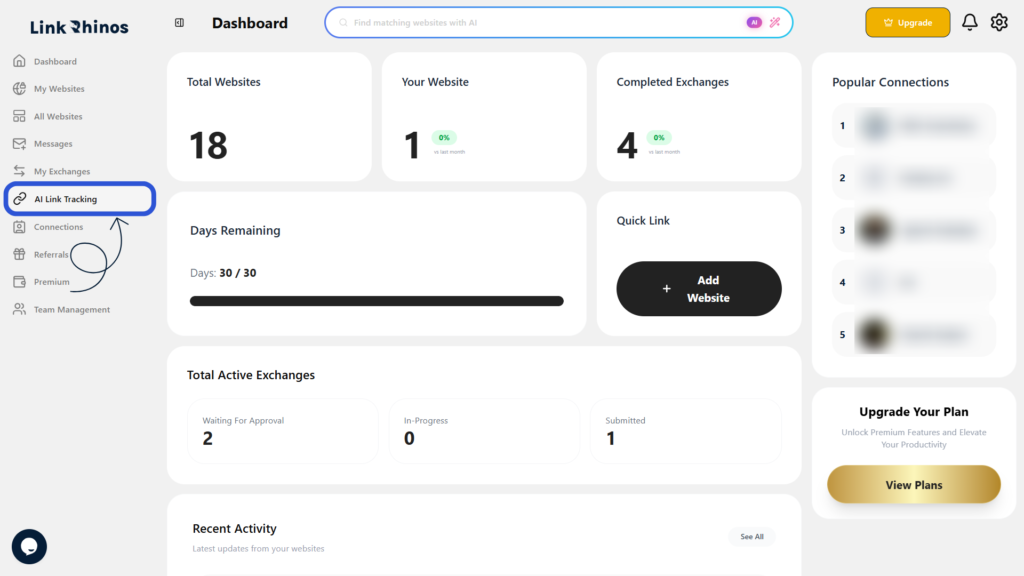
2: Find the Task with the Issue
Look for a task that shows “Live URL Not Found” status in the list.
3: Click Message
Under the Action column, click the “Message” button next to that task.
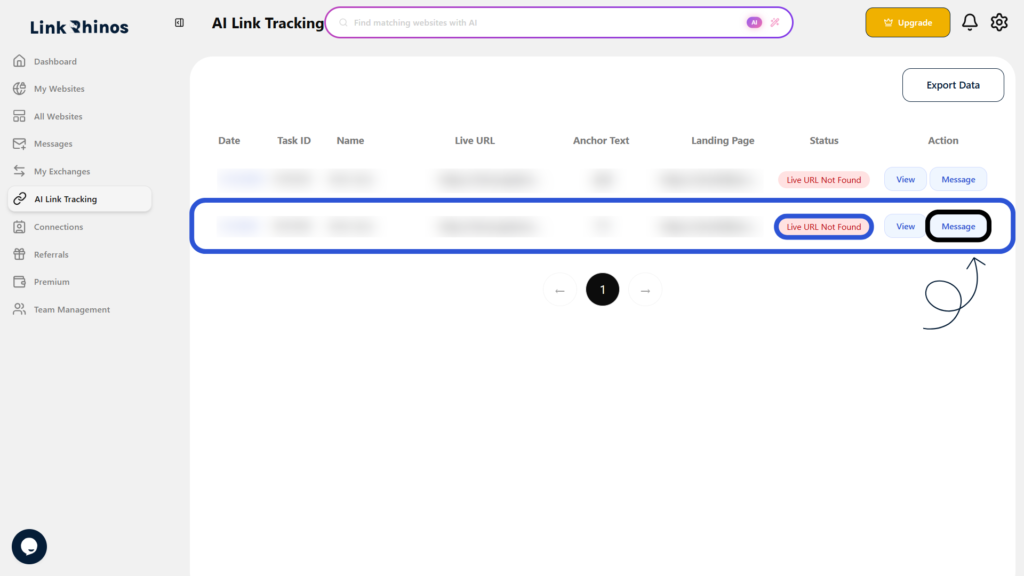
An automatic message is instantly sent to the partner regarding the missing link, keeping them informed without any manual effort from your side.