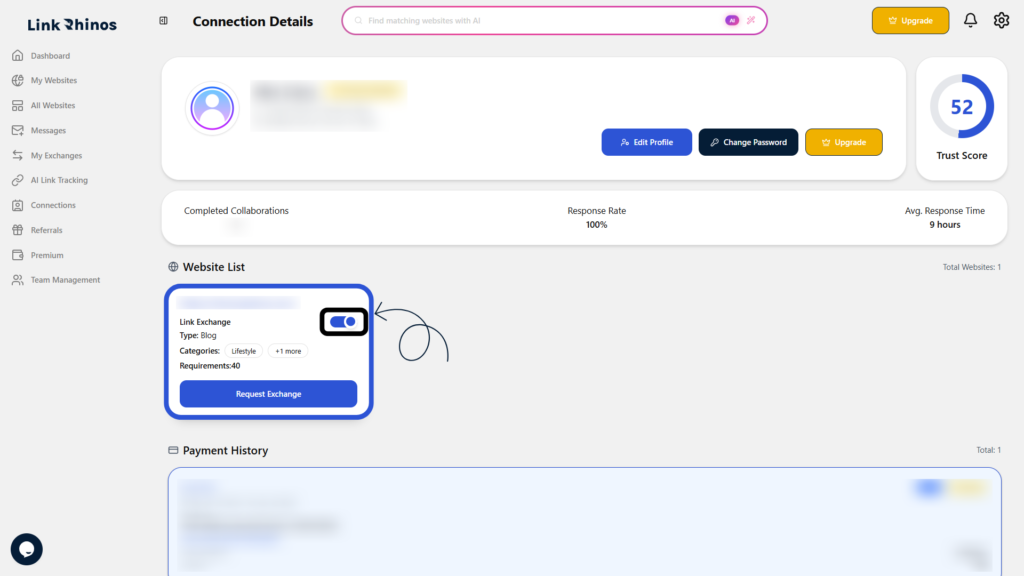
You can enable link exchange for your websites using multiple methods. Choose the option that is most convenient for you.
Method 1: From the Website list
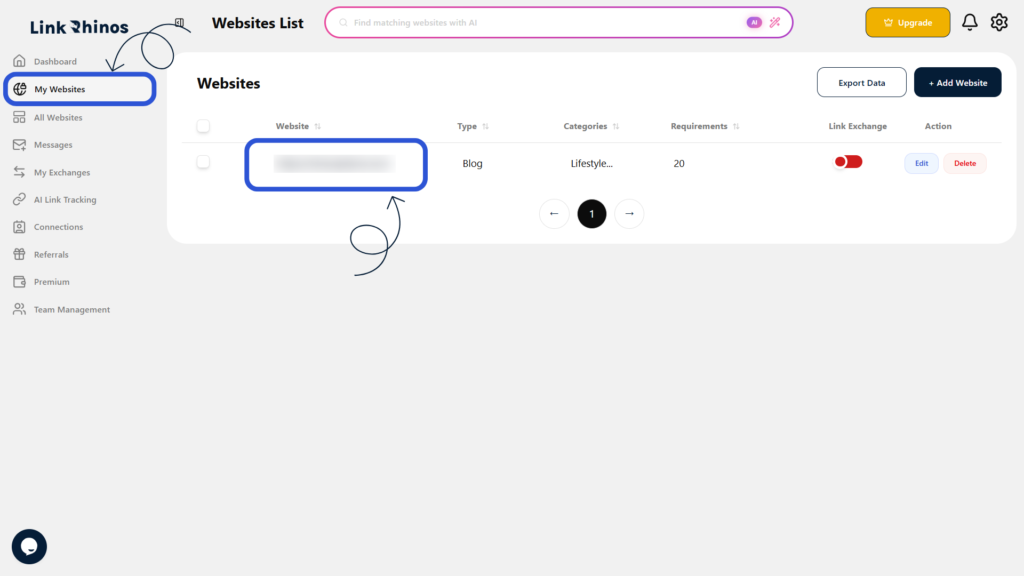
1: Go to My Websites
Navigate to the “My Websites” section from your main dashboard and locate the website you want to enable for link exchange.
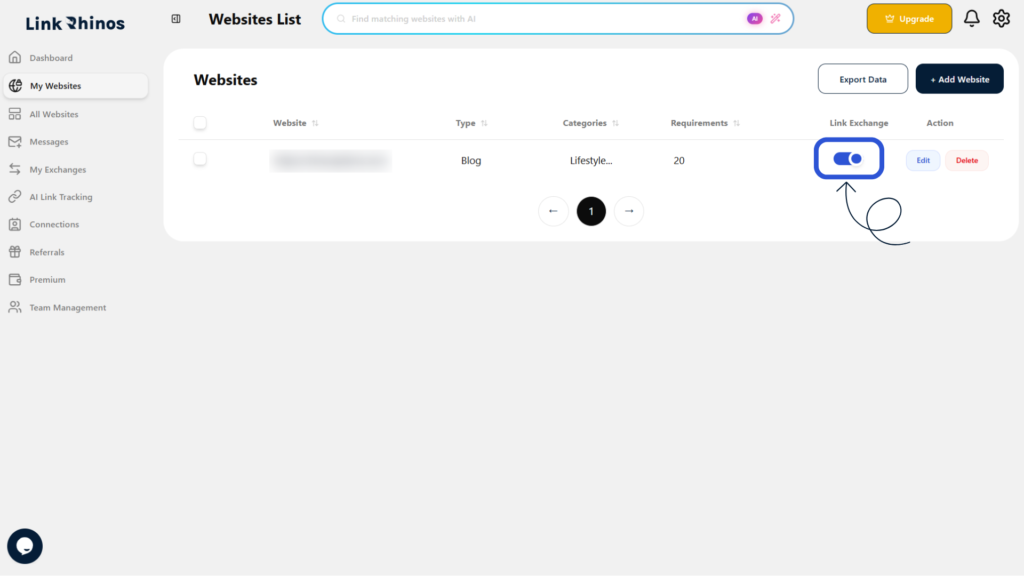
2: Turn ON the toggle
In the Link Exchange column, simply turn ON the toggle to enable it.
Method 2: From the Edit Website option
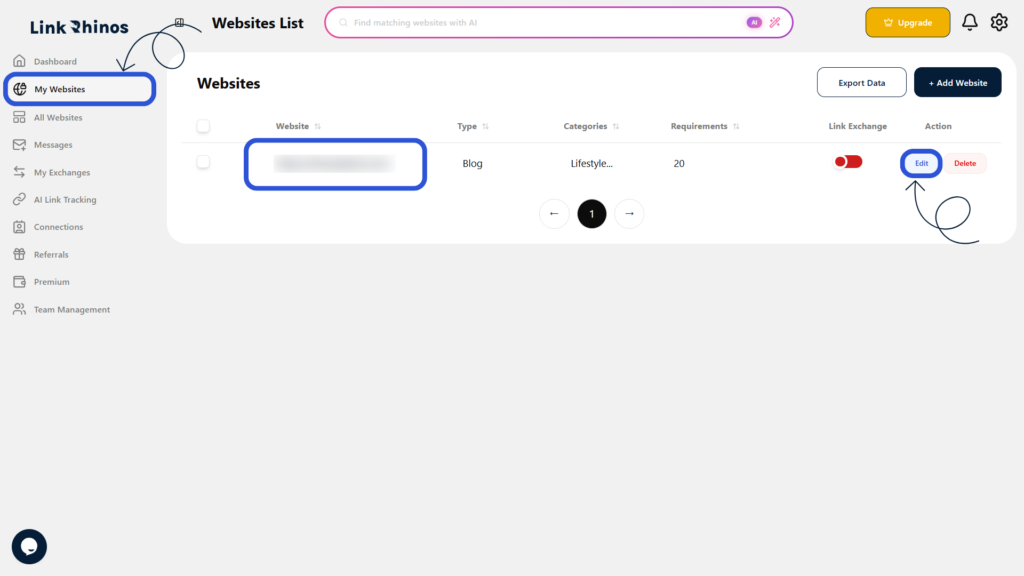
1: Access Edit option
Go to “My Websites,” locate your website, and click “Edit” in the Action column.
2: Open Edit pop-up
The Edit Website pop-up will open, displaying the Link Exchange toggle.
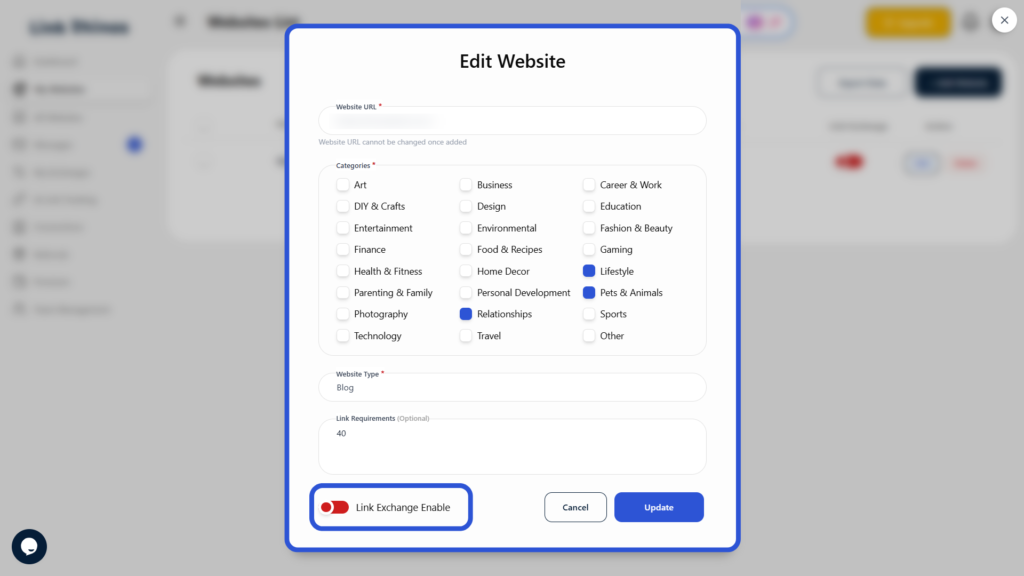
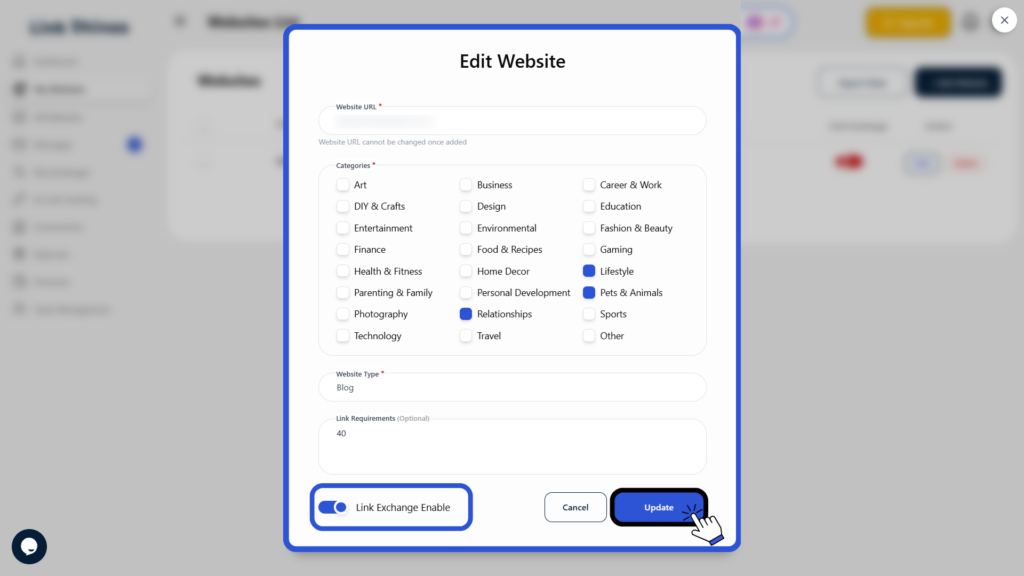
3: Enable and Update
Turn ON the Link Exchange toggle and click “Update” to apply the changes.
Method 3: From your profile
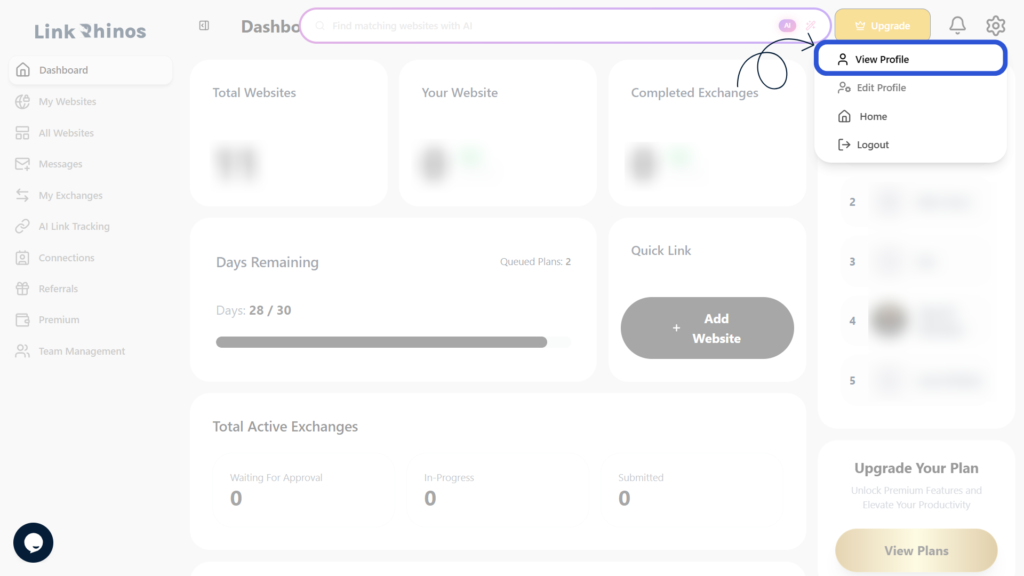
1: Open your profile
Click on your profile to access your account information.
2: Locate Website List
In the Website List section, find the website you want to modify.
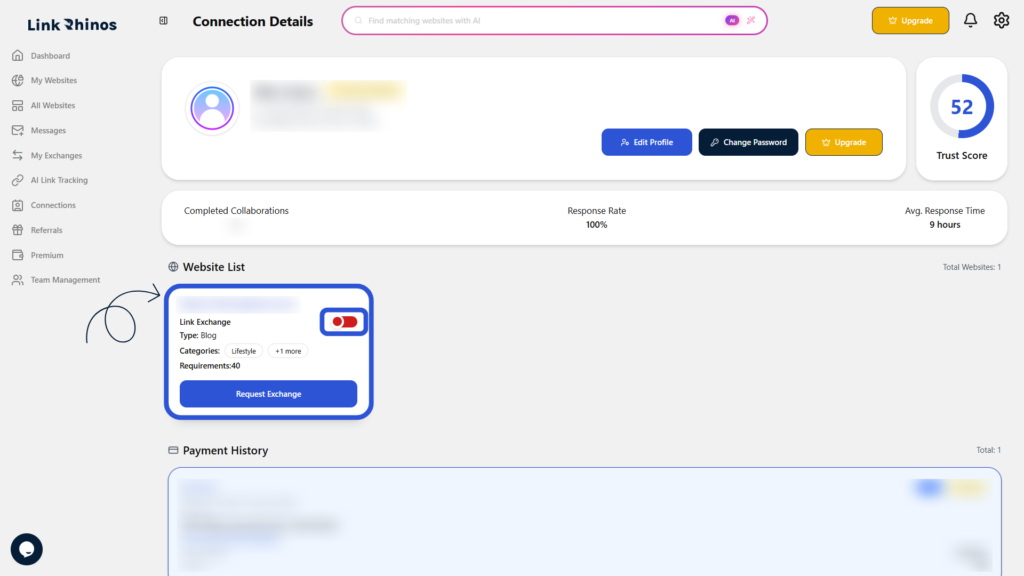
3: Enable on website card
Turn the Link Exchange toggle ON directly on the website card.