
You can easily submit a link exchange request directly within your conversation with a partner. The request form allows you to specify all the necessary details for the exchange. Follow these steps:
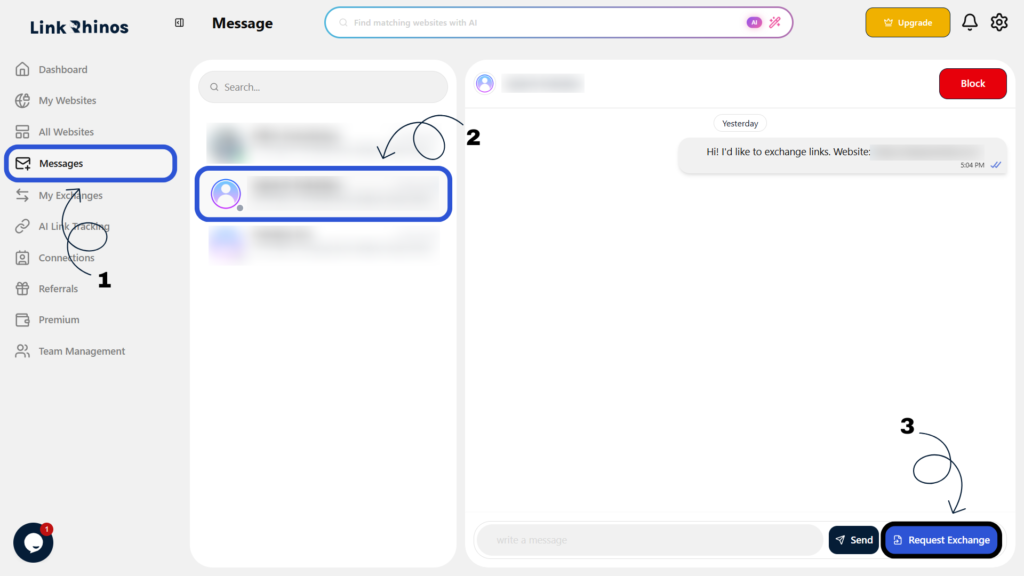
1: Go to Messages
Navigate to the “Messages” section from your main dashboard menu.
2: Open the Relevant Conversation
Find and open the conversation with the partner you want to exchange links with.
3: Click Request Exchange
Locate and click the “Request Exchange” button within the conversation window.
4: Fill in the Request Form Details
Complete the following fields in the request form:
- Blog URL – Enter the partner’s blog page URL where your link should be placed.
- Anchor Text – Enter the text the partner should use for your backlink.
- Landing Page – Enter the URL of your website or blog page that you want the partner to link to.
- Instructions Notes (optional) – Add any additional instructions related to link placement.
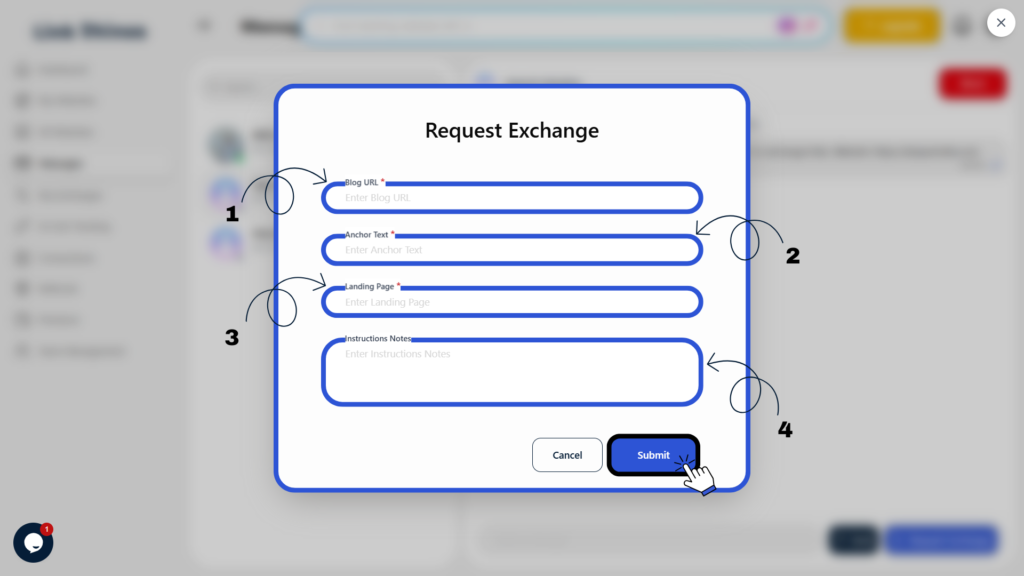
5: Click Submit
Review your details and click the “Submit” button to send the request.
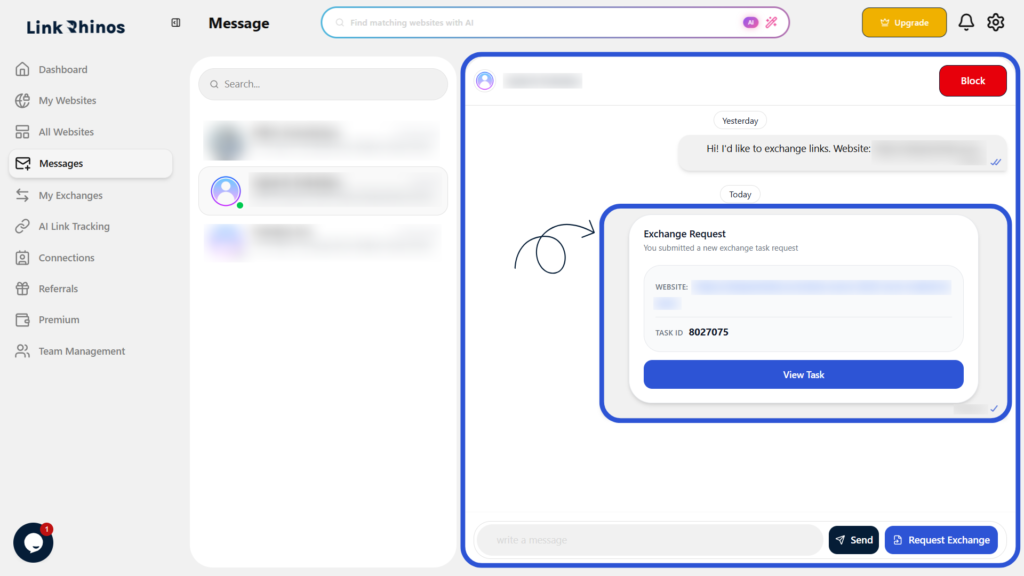
After submission, an exchange request card is shown in the conversation with the request details and a View Task option.