
You can quickly verify if a link has been properly placed by using the Auto Check feature. This tool automatically scans the submitted URL to confirm the link details. Follow these steps:
1: Go to My Exchanges
Navigate to the “My Exchanges” section from your main dashboard and locate the exchange request with a Submitted status.
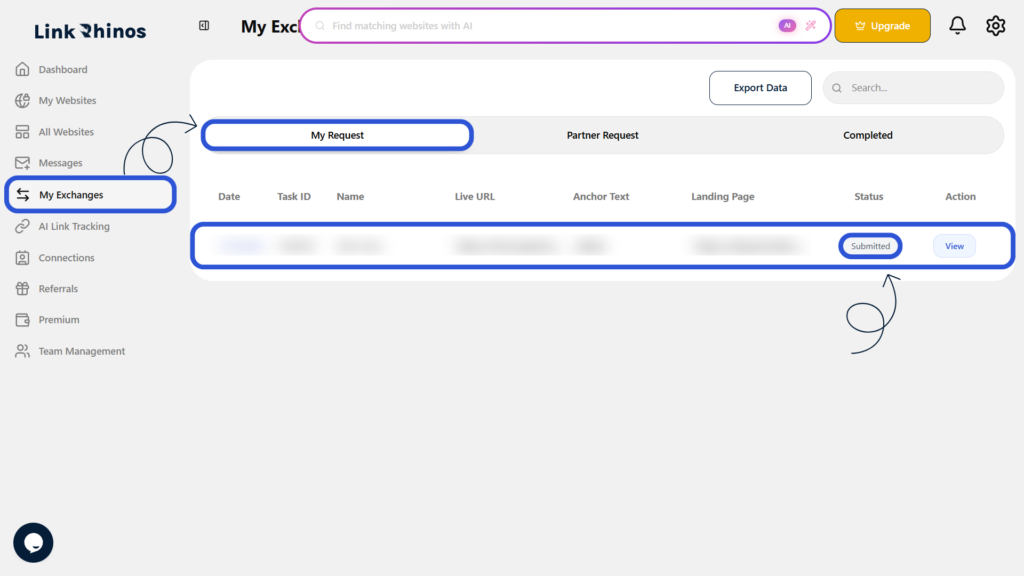
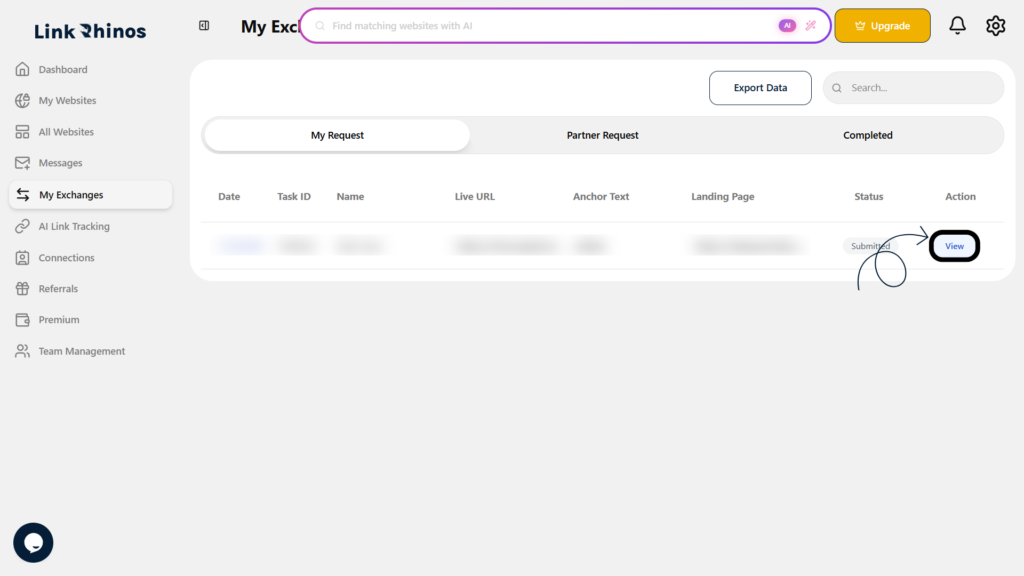
2: Open Task Details
Click View Task to open the detailed view of the exchange request.
3: Run Auto Check
Click the Auto Check button.
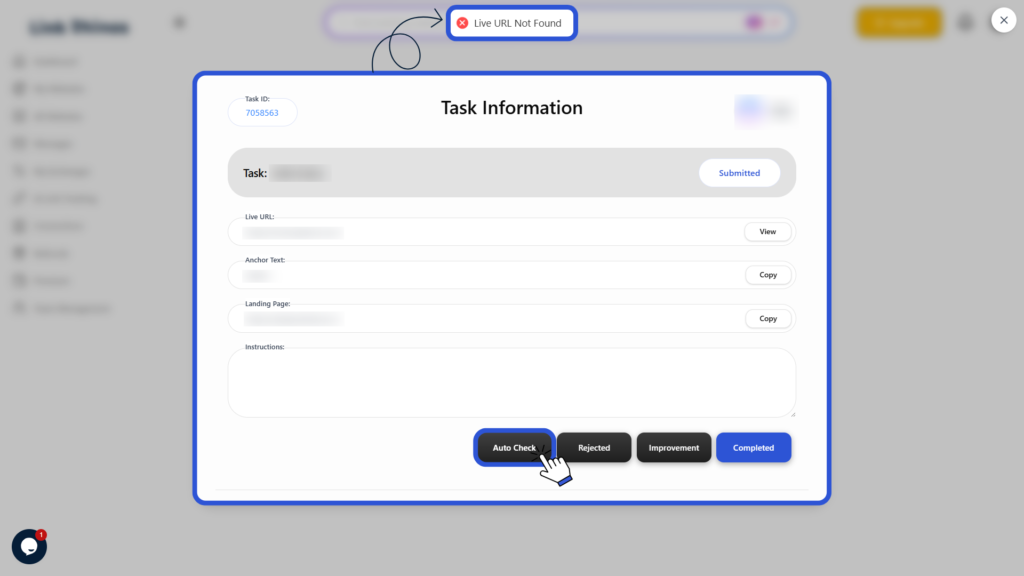
The system verifies the link using the submitted Blog URL, Anchor Text, and Landing Page, and displays the result directly in the task.