
To view the exchange requests you have sent, follow these steps:
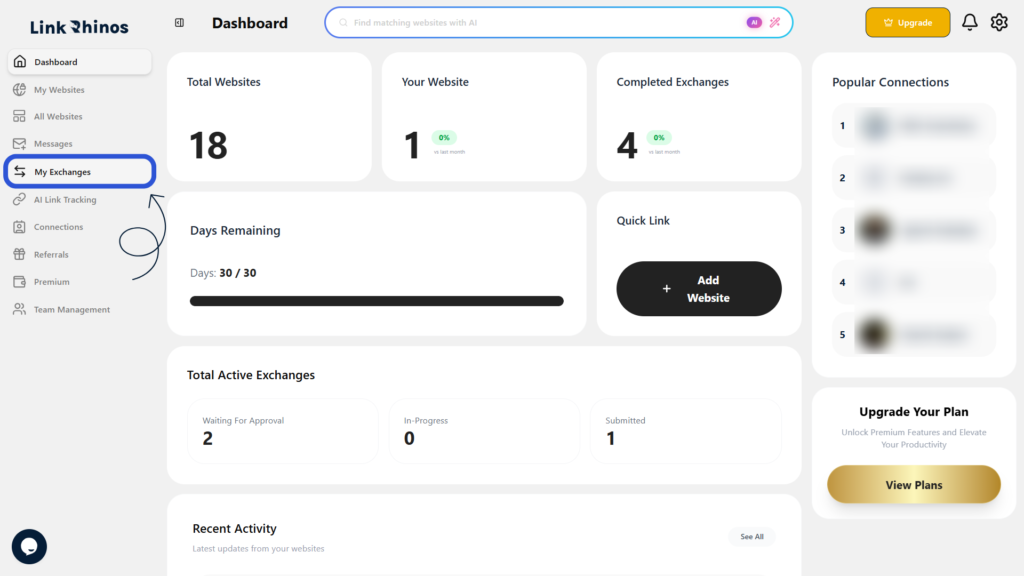
1: Go to My Exchanges
Navigate to “My Exchanges” from the main menu.
2: Open the My Request Tab
Click on the “My Request” tab to see all exchange requests sent by you.
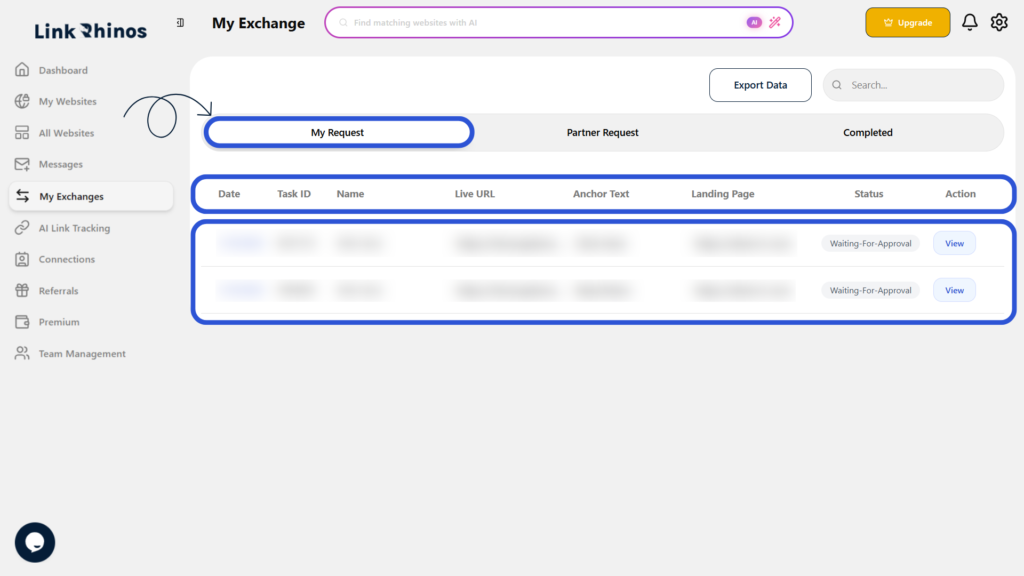
This list displays key details such as Task ID, Live URL, Anchor Text, Landing Page, and Status for each request.