
You can initiate a link exchange request directly from your Messages to streamline the collaboration process. Follow these steps:
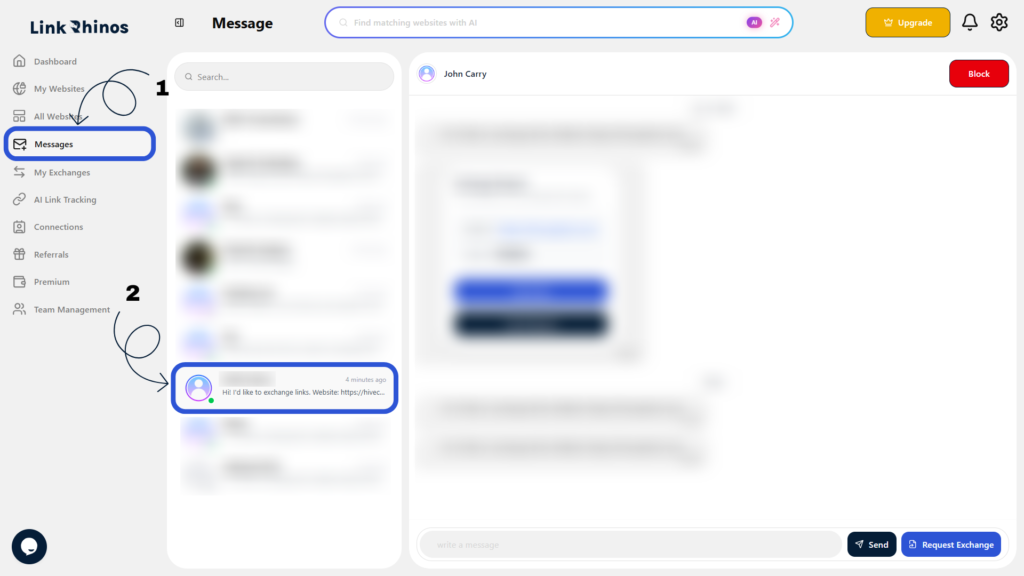
1: Go to Messages
Navigate to the Messages section from your main dashboard and open the relevant conversation with the user.
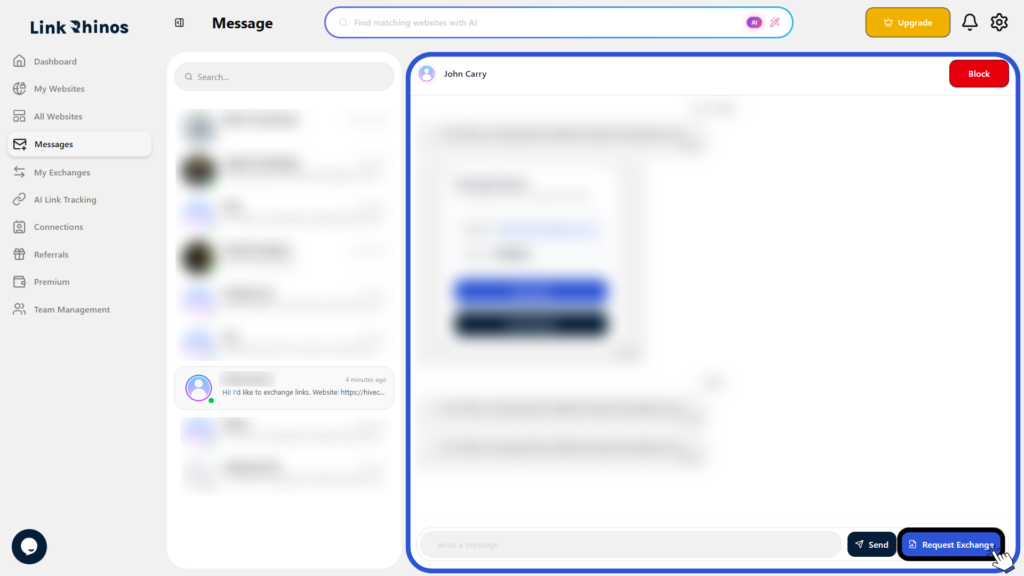
2: Click Request Exchange
Within the conversation, locate and click the “Request Exchange” button to begin the process.
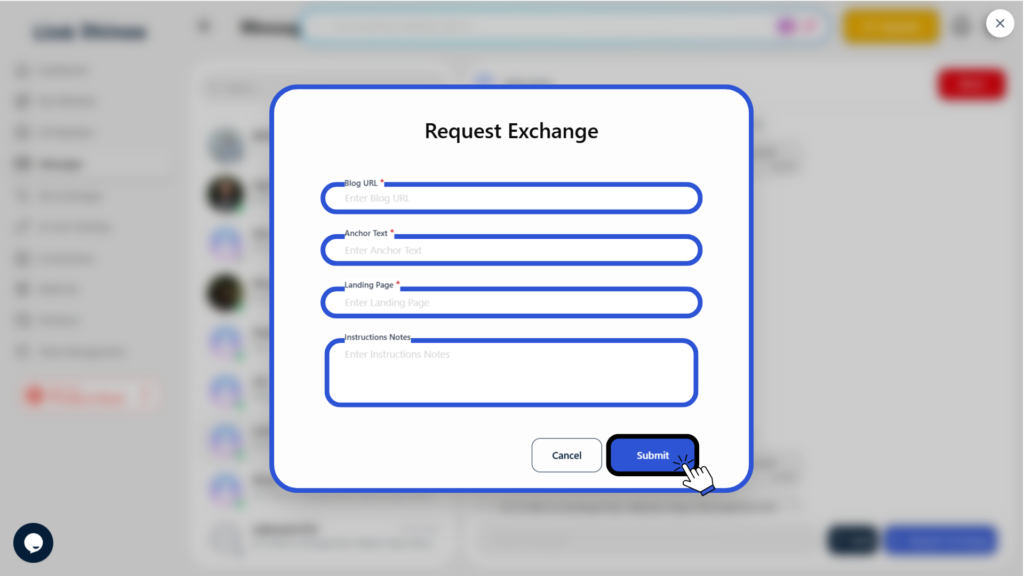
3: Complete the Form
Fill in the required details in the exchange request form and click Submit to send your request.
The recipient will receive your request and can review, approve, or decline it based on their link preferences.