
You can easily add your website to start participating in link exchanges. The process involves submitting your site details and verifying ownership. Follow these steps:
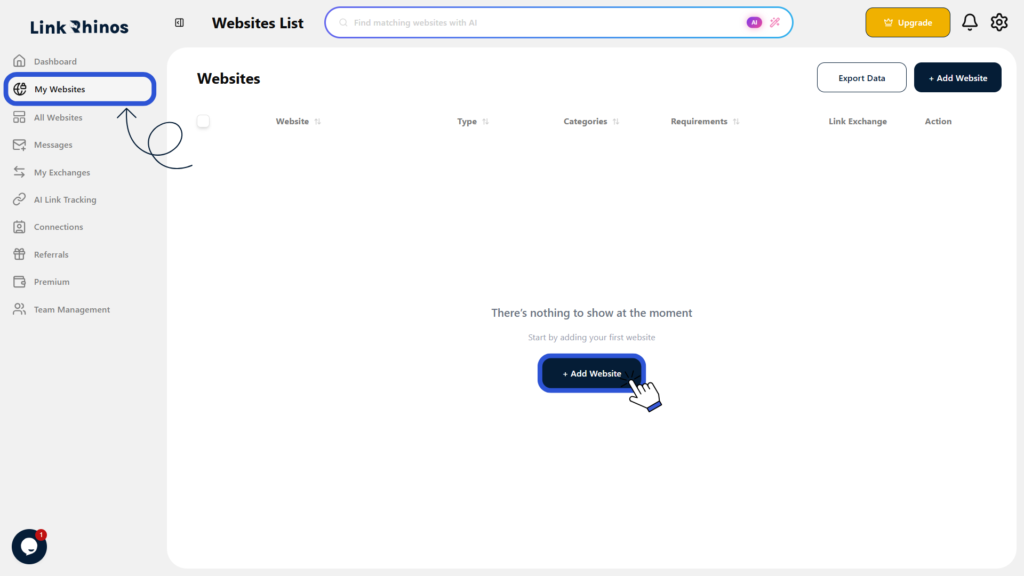
1: Go to My Websites
Navigate to “My Websites” from your dashboard and click the Add Website button.
2: Enter Website Details
Fill in your website information, including:
- Website URL
- Category
- Website type
- Optional link requirements
- Enable link exchange (if your website is open for exchanges)
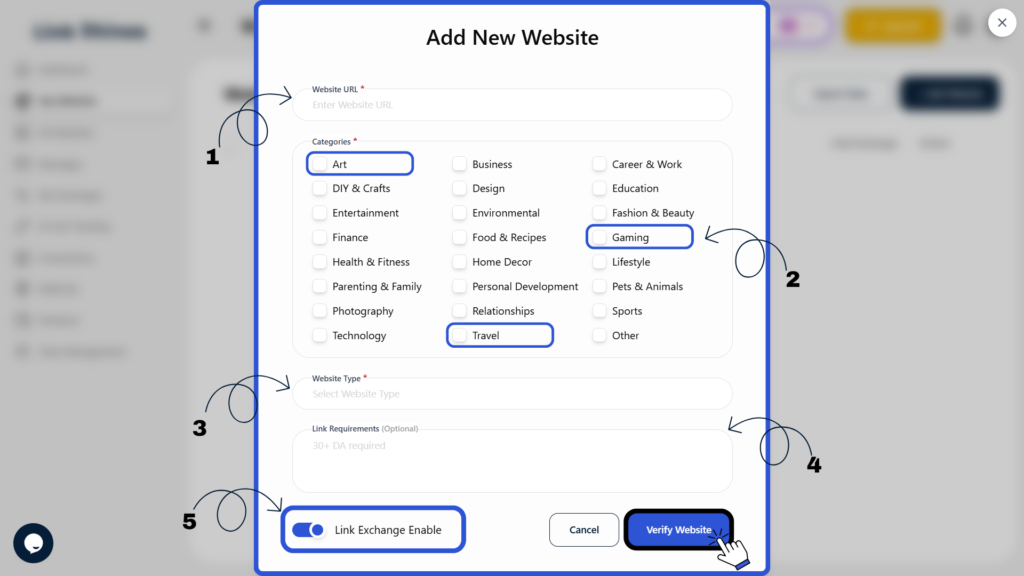
Once all details are added, click Verify Website.
3: Choose Verification Method
Select one of the following methods to verify ownership:
- Email Verification, or
- Meta Tag Verification
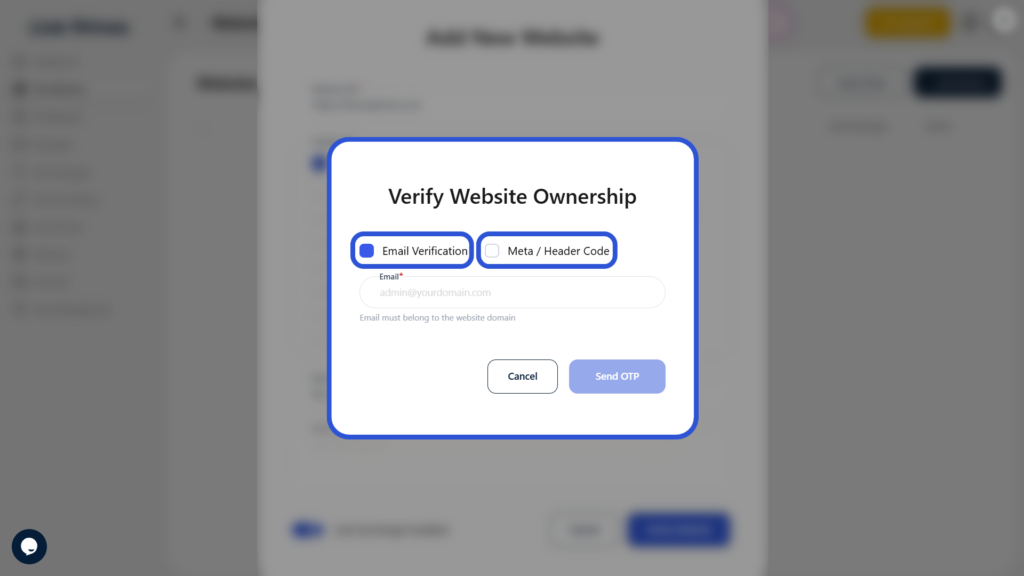
After successful verification, your website will be added to your account and will be available for link exchanges based on your settings with Link Rhinos.