
Yes, the root/admin user can remove a team member completely from the account. To remove a team member, follow these steps:
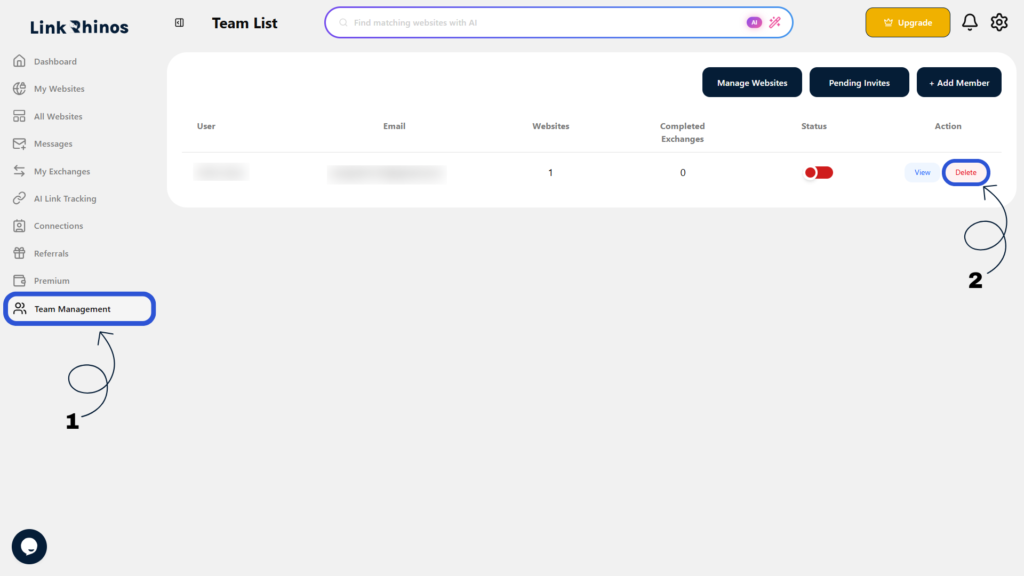
1: Go to Team Management
Navigate to “Team Management” from the menu, find the team member, and click Delete.
2: Choose Website Ownership
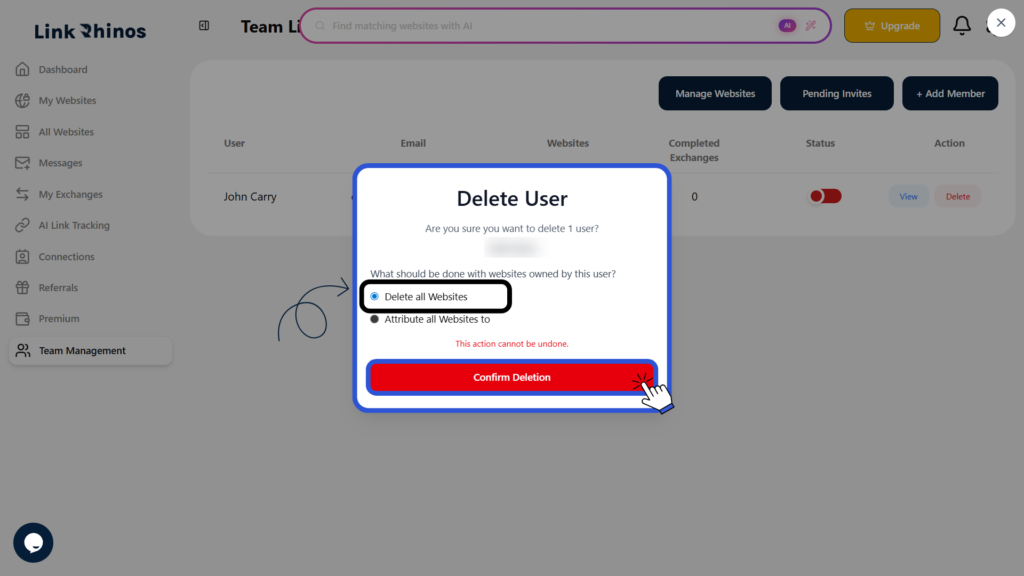
Select what should happen to the websites owned by the user:
a. Delete all websites, or
b. Transfer all websites to another user (including the root/admin user)
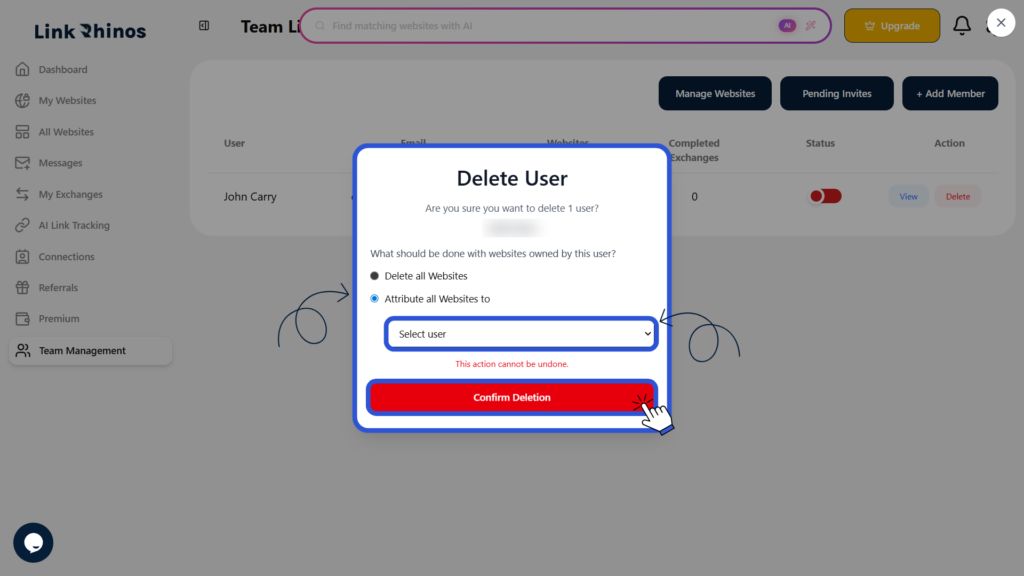
Once confirmed, the team member is permanently removed, their access is revoked immediately, and the selected action for the websites is applied. This action cannot be undone.