
If an invited user hasn’t received their invitation, there are several steps you can take to troubleshoot and resolve the issue. Follow these steps:
1: Check Spam or Promotions Folder
Ask the user to check their Spam, Junk, or Promotions folders, as email filters may have redirected the invitation there.
2: Verify Email Address
Double-check that the email address entered during the invitation process was correct. A small typo can prevent delivery.
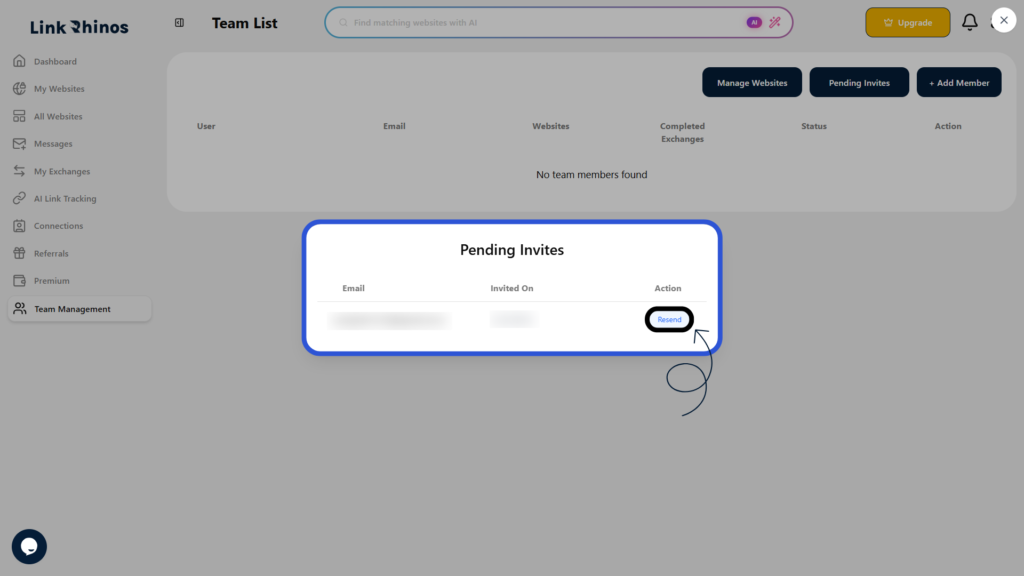
3: Resend the Invitation
If the email address is correct and the invitation isn’t found, go to the Pending Invites section and resend the invitation.
4: Contact Support
If the issue continues, reaching out to support can help identify and resolve any email delivery problems.