
You can view a user’s listed websites and initiate a collaboration request directly from their profile. Follow these steps:
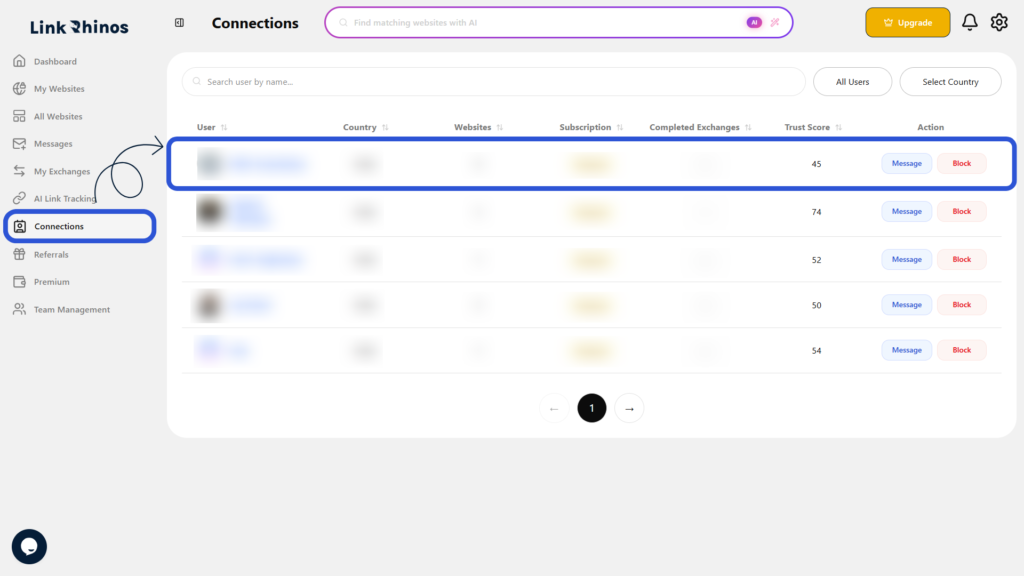
1: Go to Connections
Navigate to the “Connections” section from your main dashboard menu and open the user’s profile.
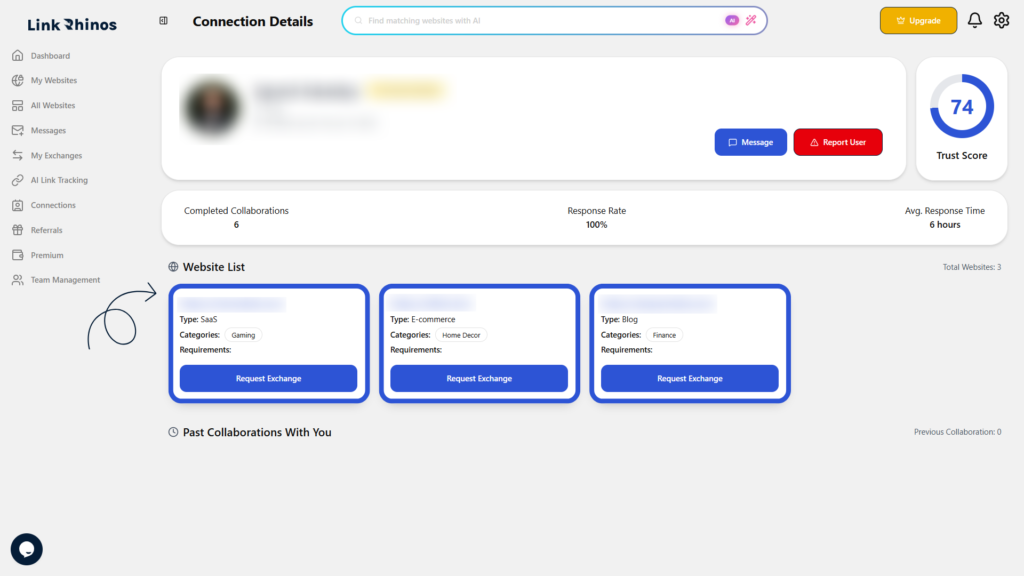
2: Review Website List
Scroll down to the Website List section and review the available website details.
3: Request Exchange
Click Request Exchange for the website you want to collaborate with.
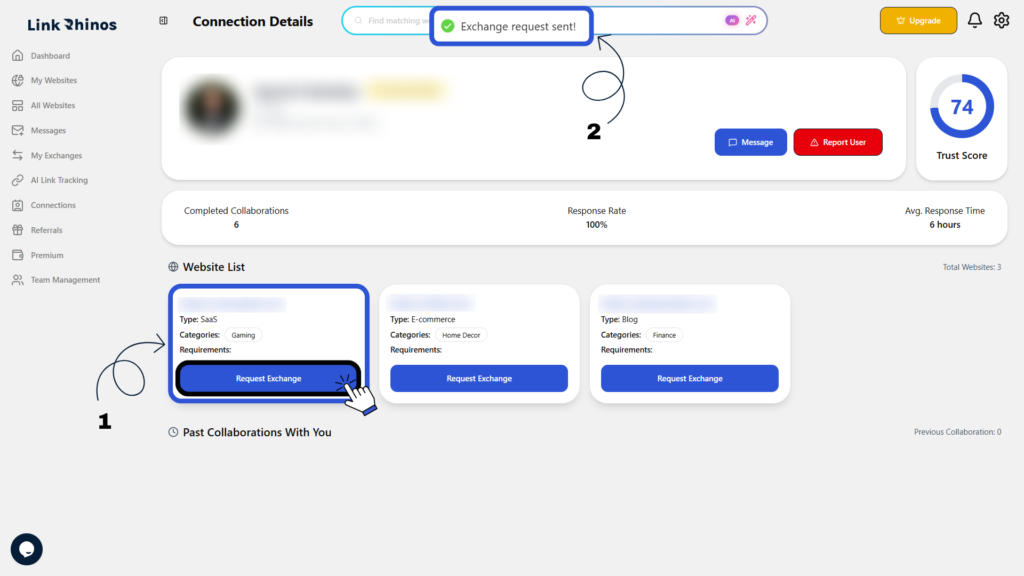
Once you request an exchange, a predefined message is sent to the user to start the collaboration.