
You can quickly find specific websites on the platform using the search feature. Follow these steps:
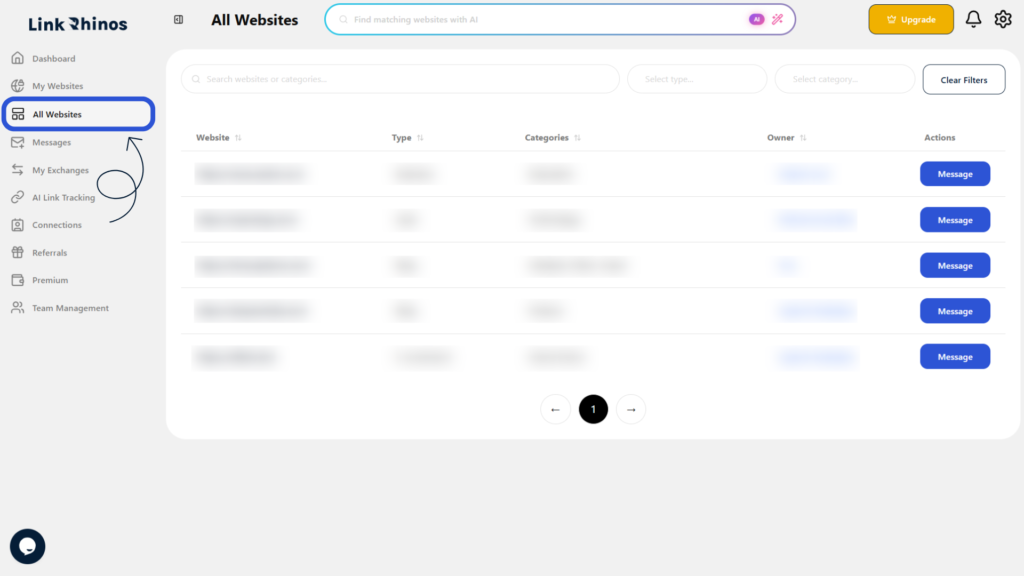
1: Go to the All Websites section
Navigate to “All Websites” from your main dashboard menu.
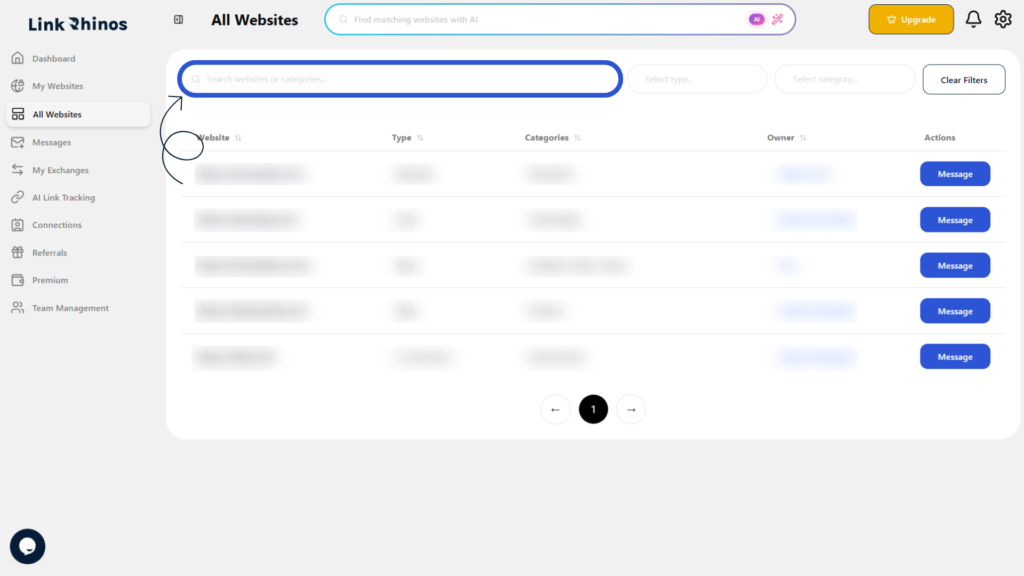
2: Use the Search Bar
Locate the search bar at the top of the website’s list.
3: Enter Your Search Criteria
Type a website name, owner name, website type, or category to view matching results.
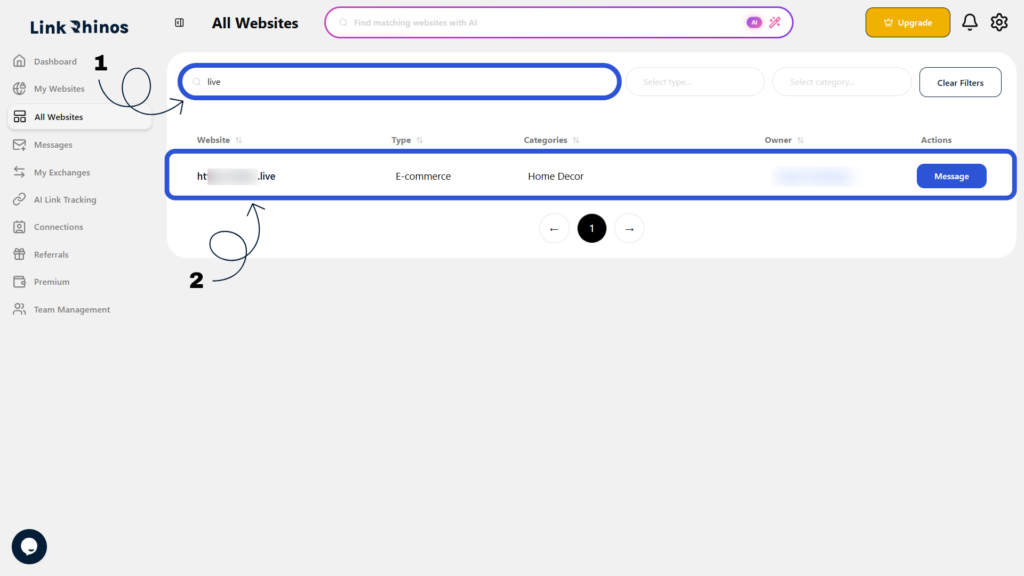
Tip: You can combine searches with filters for more precise results.