
Keep your website profile accurate and up to date by managing your details. This ensures your link exchange settings reflect your current preferences. Follow these steps:
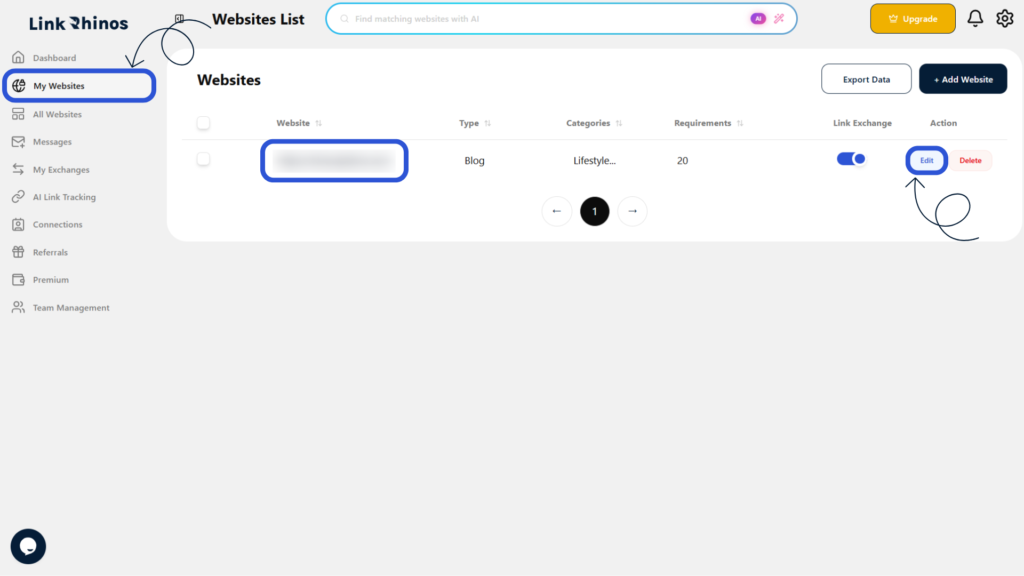
1: Go to My Websites
Navigate to the “My Websites” section from your main dashboard menu.
2: Open Edit Mode
Find the website you want to update and click the “Edit” button next to it.
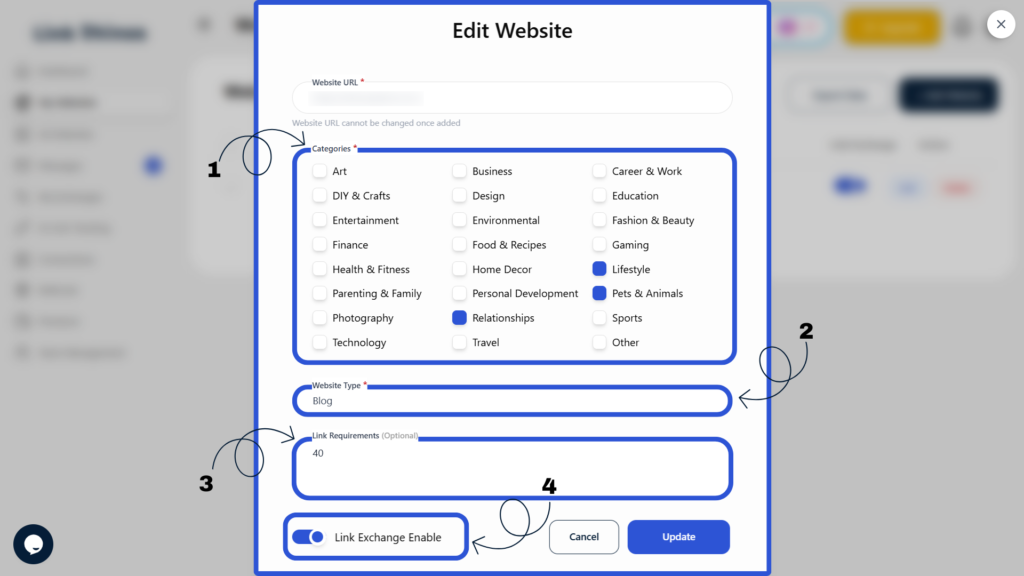
3: Update Website Details
In the Edit Website pop-up, update the available website details, including:
- Category
- Website type
- Link requirements
- Link exchange status (toggle ON or OFF)
4: Save Changes
Click the “Update” button to save all your changes.
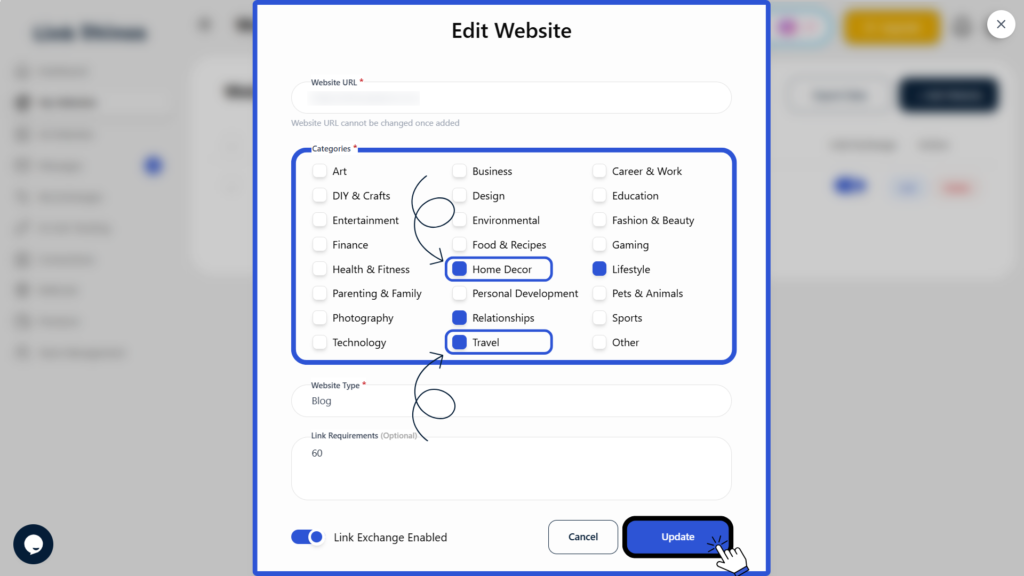
This ensures your website profile remains current and accurately reflects your link exchange preferences on Link Rhinos.