
You can quickly verify your website ownership using meta tag verification. This method requires adding a small code snippet to your site’s header. Follow these steps:
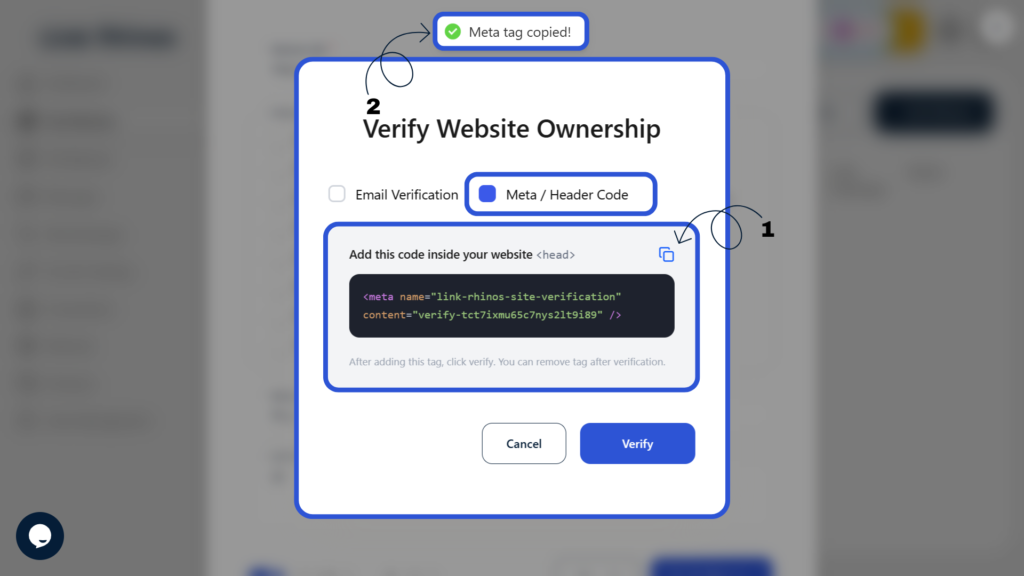
1: Copy the Meta Tag
Select “Meta / Header Code” as the verification method and copy the verification meta tag shown on the screen.
2: Add to Your Website
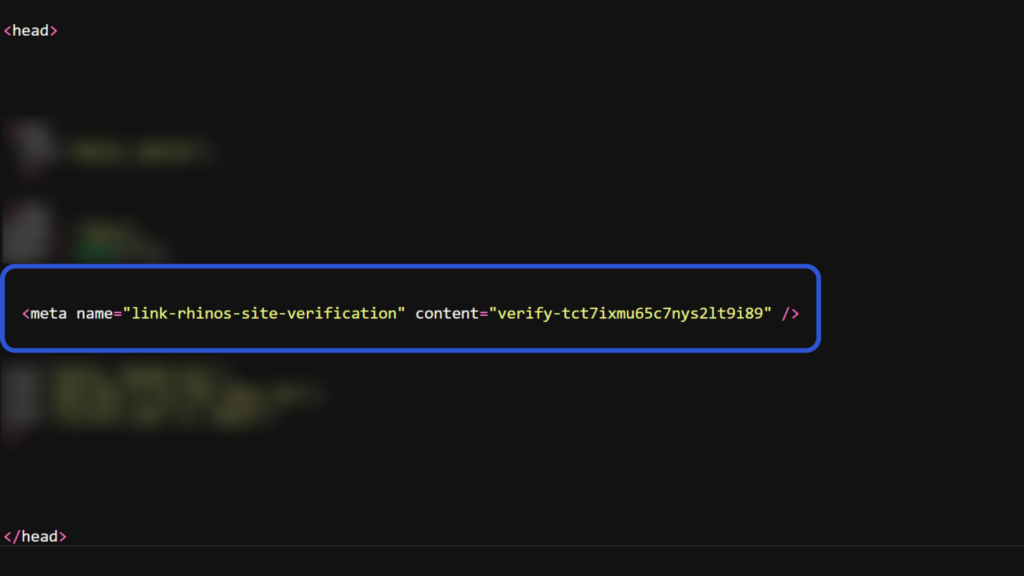
Paste the copied meta tag into your website’s <head> section (usually found in your site’s theme or CMS settings).
3: Complete Verification
Return to the platform and click Verify to confirm your ownership.
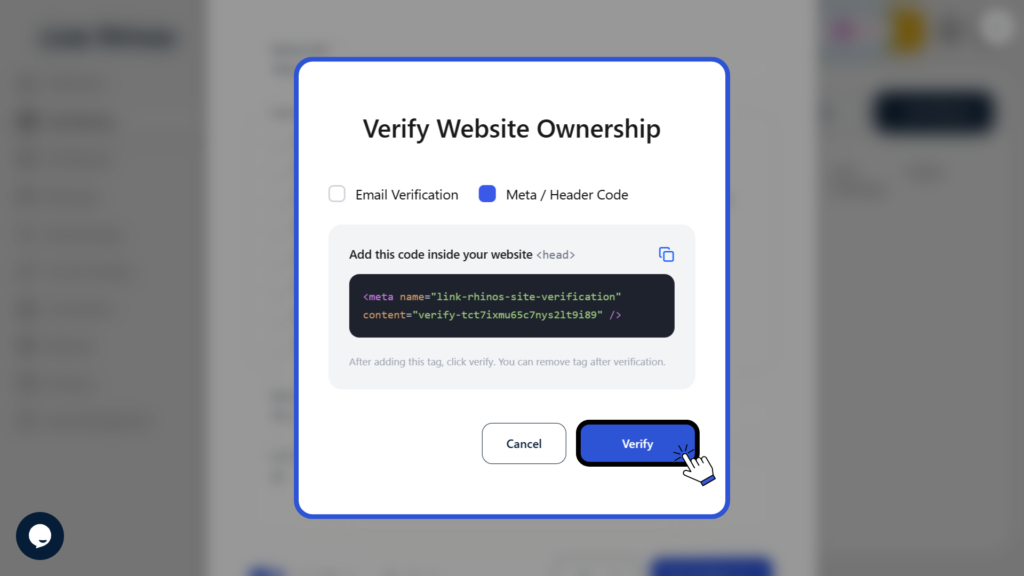
Once verified, your website will be successfully linked and authorised within Link Rhinos.