
You can delete multiple websites at once to quickly clean up your portfolio. This is useful when removing outdated or inactive sites. Follow these steps:
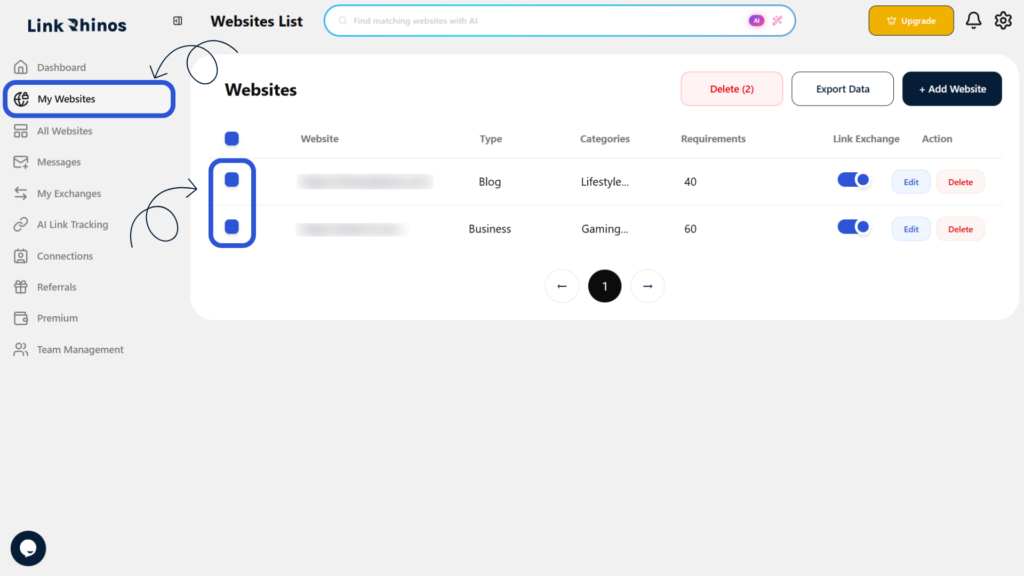
1: Go to My Websites
Navigate to the “My Websites” section and select the checkbox next to each website you want to delete.
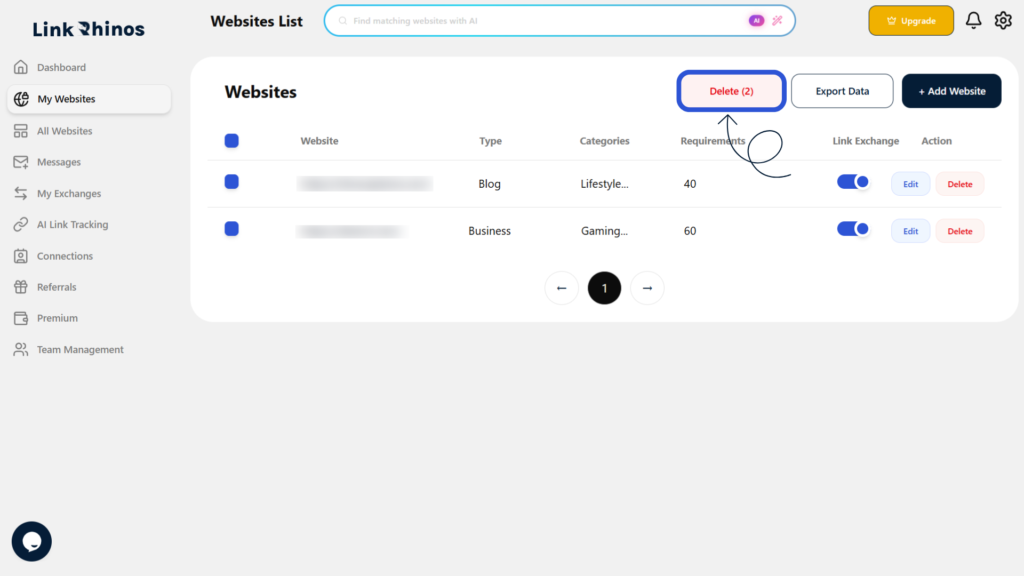
2: Click the Delete Button
Once you have selected all desired websites, click the Delete button at the top of the page.
3: Confirm Deletion
In the confirmation prompt, review the selected websites and click “Yes, Delete” to confirm.
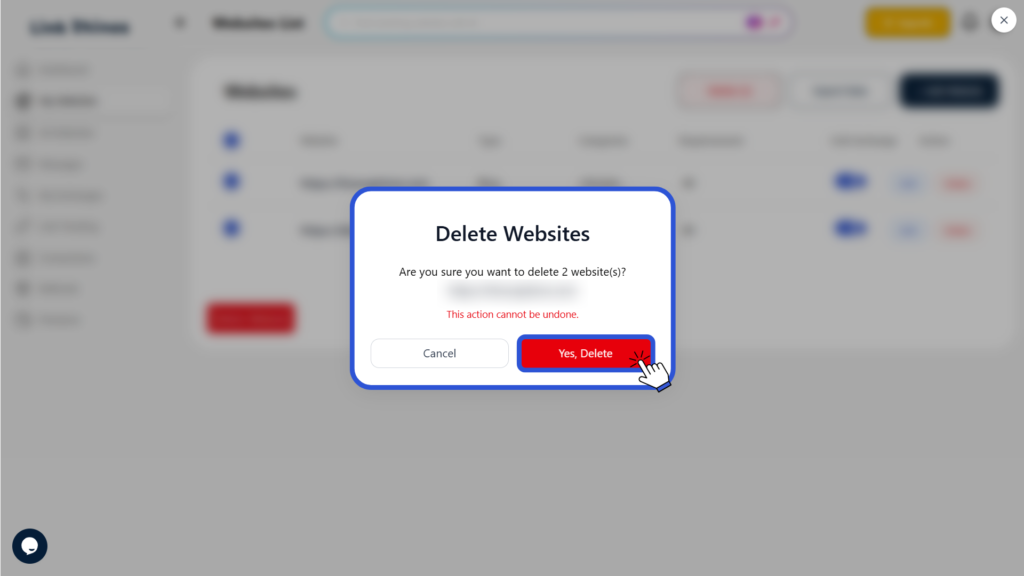
This action is permanent and cannot be undone. Please ensure you have selected the correct websites before confirming.