help.linkrhinos.com
Go to App
Home>Knowledge Base>Account>How to check a user’s completed exchanges?

How to check a user’s completed exchanges?

Alex Carry
Alex Carry Updated 2 months ago
1 min read

You can easily track how many successful exchanges a user has completed. This helps you identify active and reliable members within the community. Follow these steps:

1: Go to Connections

Navigate to the “Connections” section from your main dashboard menu.
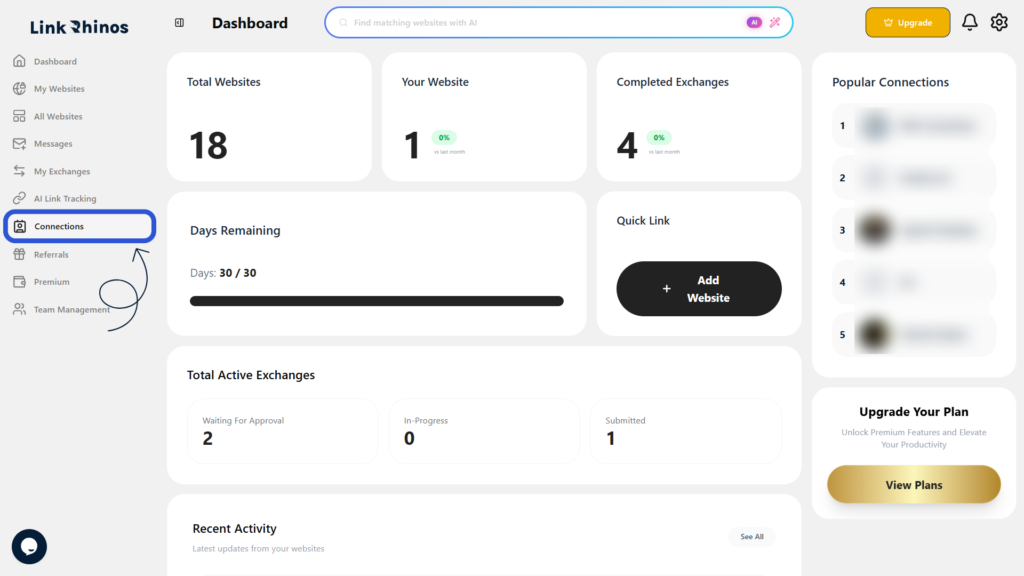
2: Locate Completed Exchanges Column

Find the user in the list and check the Completed Exchanges column next to their name.
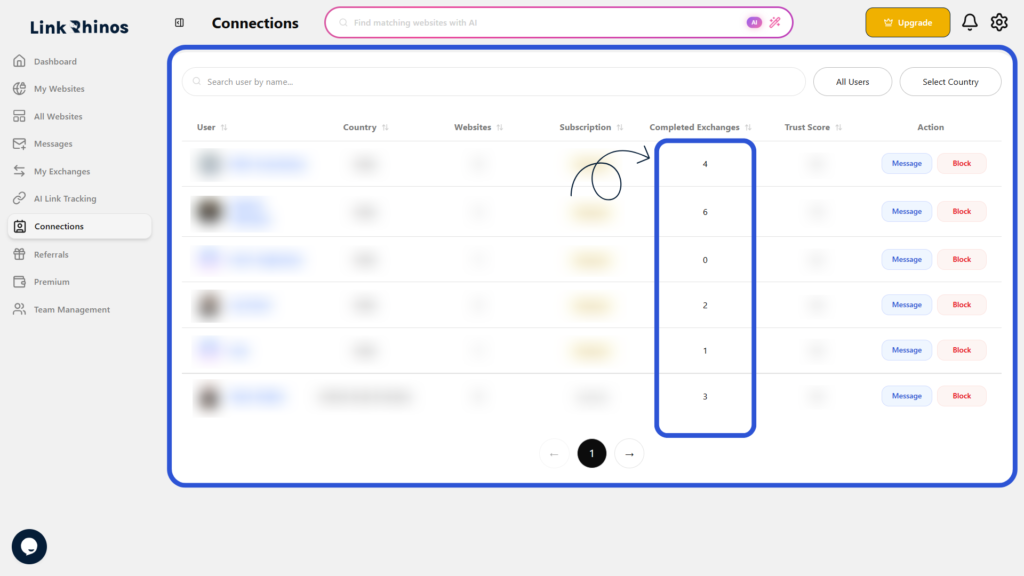
This number shows exactly how many exchanges have been successfully completed by that user, giving you insight into their activity and reliability on Link Rhinos.

Was this article helpful?

Table of Contents

Related Articles

Can I remove a team member completely?

Account

What should I do if the invited user did not receive the email?

Account

Can I transfer a website from one member to another?

Account

Need more help?

Our support team is available 24/7 to assist you.

Contact Support

© 2026 help.linkrhinos.com. All rights reserved.

  • Contact Support
  • Privacy Policy
  • Terms of Service