
If you encounter a user who is violating platform guidelines or behaving inappropriately, you can submit a report directly from their profile. Our moderation team reviews all reports to maintain a safe community. Follow these steps:
1: Open User Profile
Navigate to the user’s profile page from your Connections or search results.
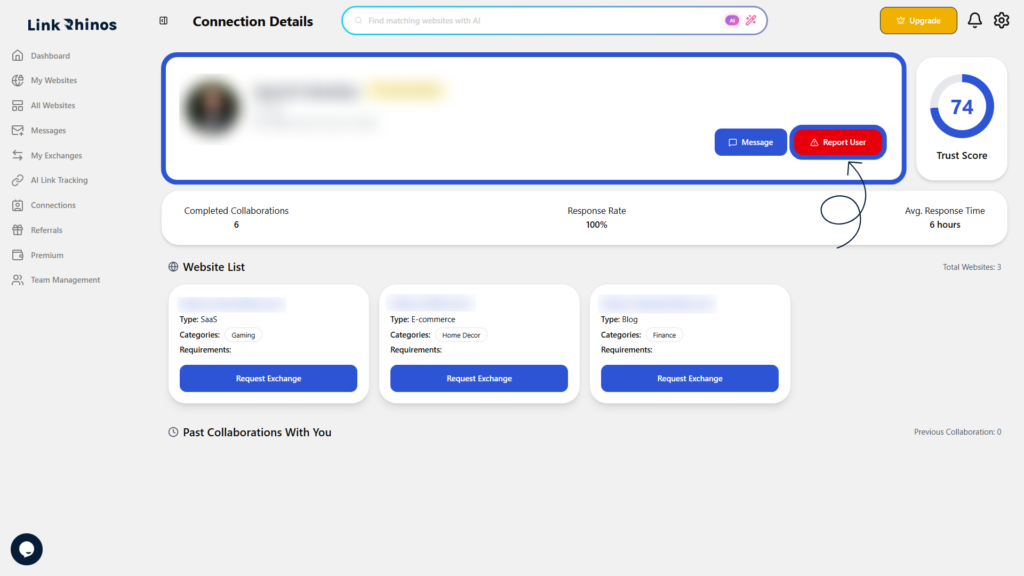
2: Select Report Reason
Click the “Report User” button and choose the reason that best describes the issue from the dropdown menu.
3: Submit Report
Click “Submit Report” to send your report to the moderation team.
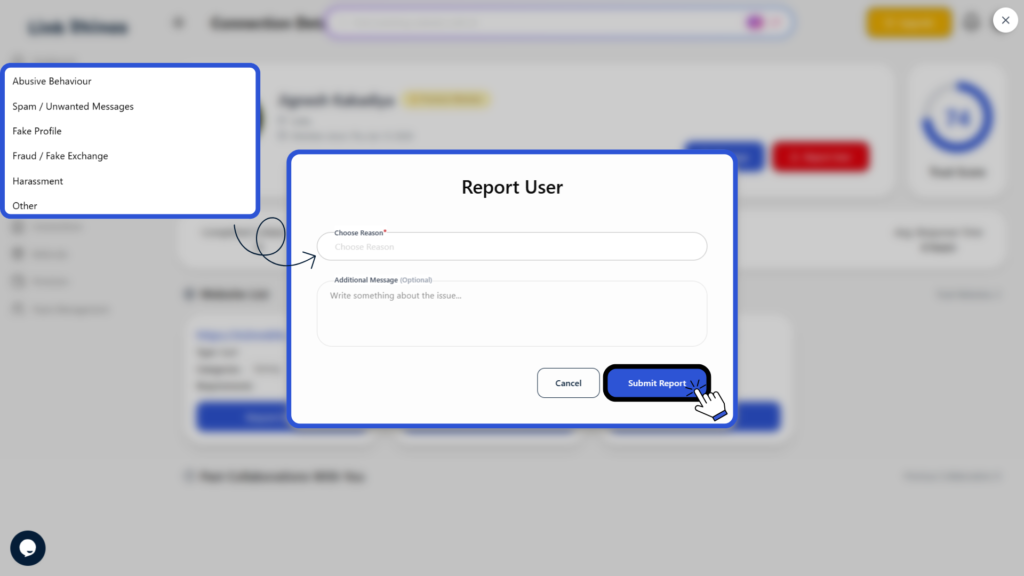
Once submitted, the report will be reviewed by our moderation team to ensure a safe and fair platform experience.