help.linkrhinos.com
Go to App
Home>Knowledge Base>Account>How to unblock a user from the Connections section?

How to unblock a user from the Connections section?

Alex Carry
Alex Carry Updated 2 months ago
1 min read

You can easily unblock a user to restore your ability to interact with them on the platform. Follow these steps:

1: Go to Connections

Navigate to the “Connections” section from your main dashboard menu.

2: Locate the Blocked User

Find the blocked user in your connections list. Blocked users are typically marked or filtered for easy identification.
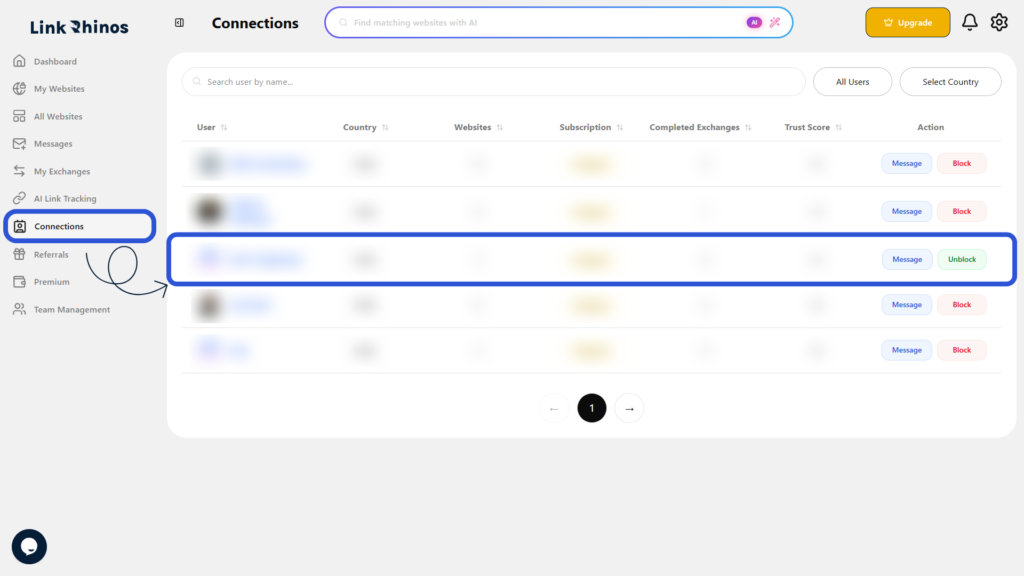
3: Click Unblock

Under the Actions column, click the Unblock button.
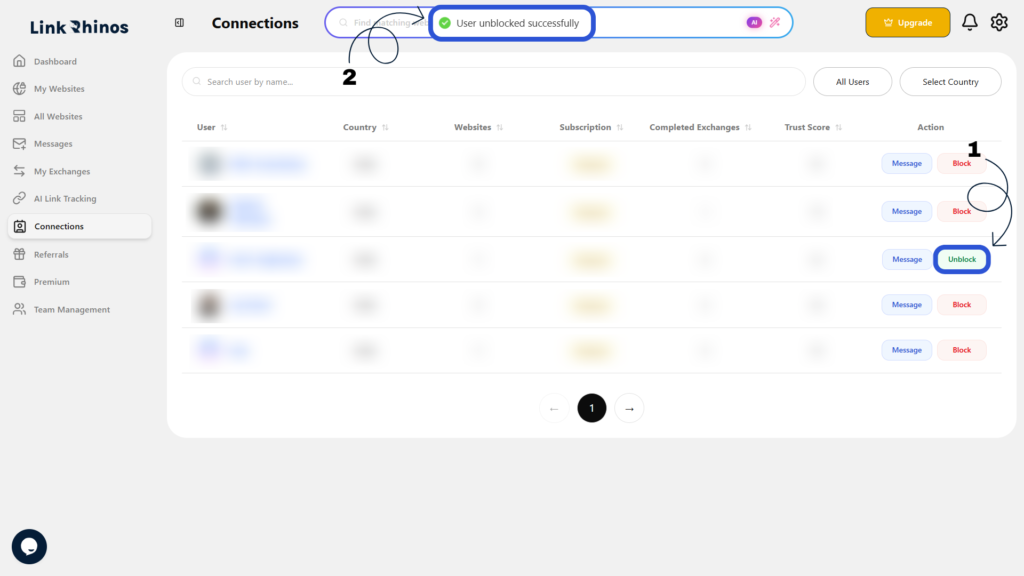
The user will be unblocked immediately, and you will be able to interact with them again on Link Rhinos.

Was this article helpful?

Table of Contents

Related Articles

Can I remove a team member completely?

Account

What should I do if the invited user did not receive the email?

Account

Can I transfer a website from one member to another?

Account

Need more help?

Our support team is available 24/7 to assist you.

Contact Support

© 2026 help.linkrhinos.com. All rights reserved.

  • Contact Support
  • Privacy Policy
  • Terms of Service