
You can easily assign websites to team members to manage workload and access rights. Follow these steps:
1: Go to Team Management
Navigate to “Team Management” from the main menu and open the “Manage Websites” section.
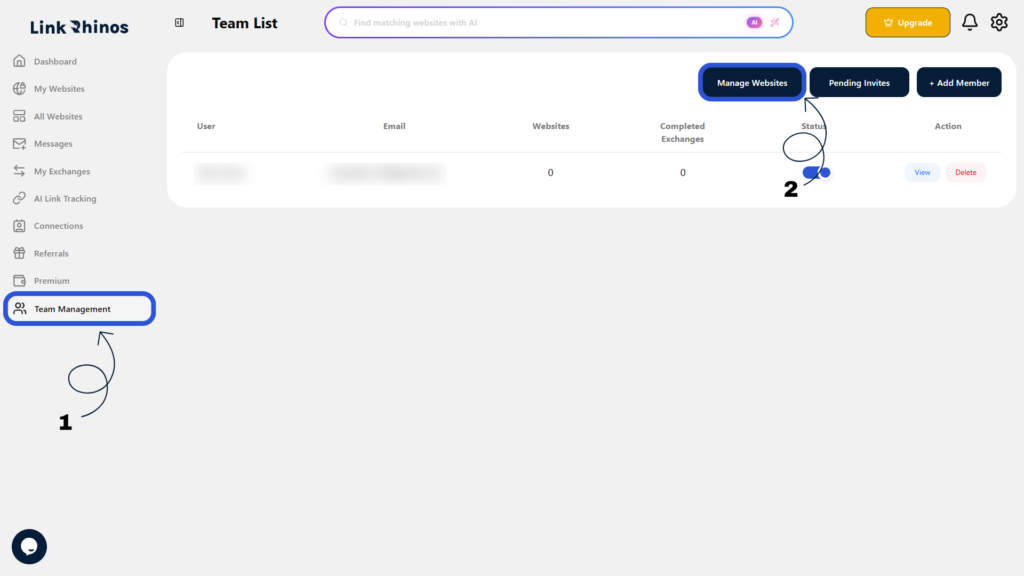
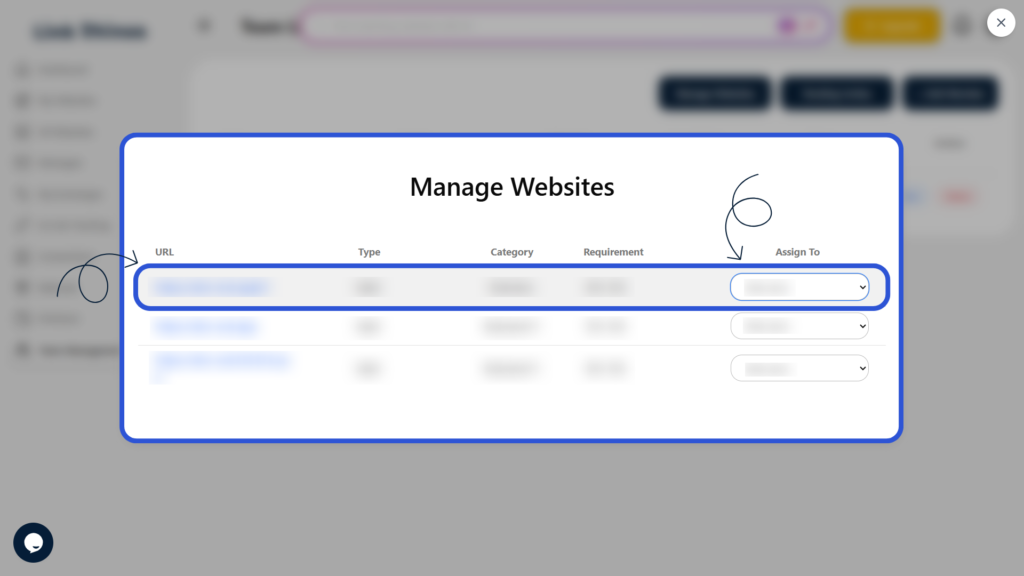
2: Select Website and Team Member
Choose the website you want to assign, then select the team member from the “Assign To” dropdown option.
3: Confirm the Assignment
Check the Websites count next to the team member’s name to verify the assignment was applied.
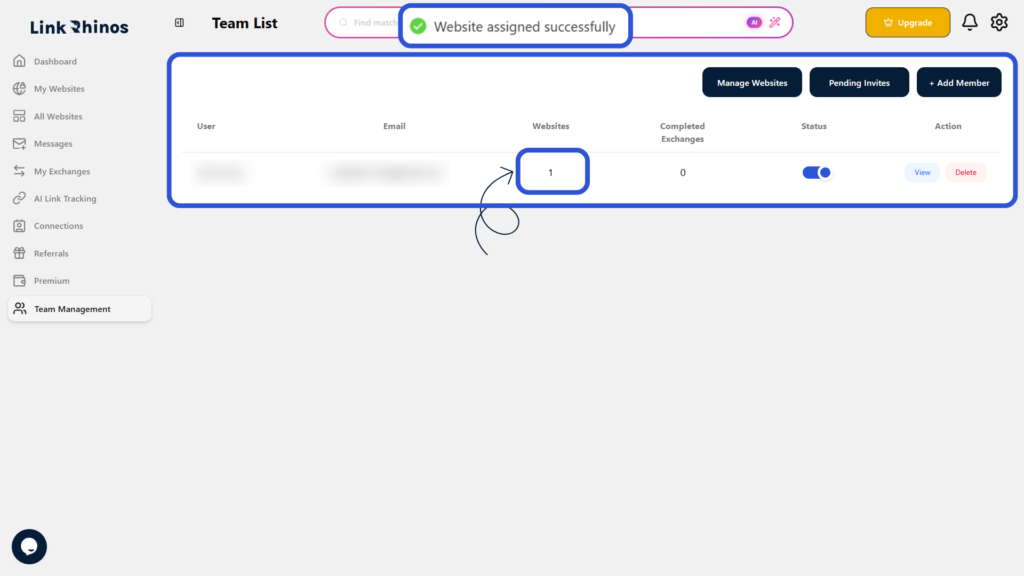
Once the website is assigned, you will see a confirmation message saying “Website assigned successfully“, and the team member will be able to work on that website immediately.